Meta Description: Work from home desk storage ideas will revolutionise your home workspace. Beware! 5 budget-friendly storage wonders that tidy my workspace and focus me for the day.
5 Powerful Things That Cleared My Desk Remote Life
If you work from home, you know the feeling already. You sit down at your desk to start your day and it looks like a paper avalanche just landed on it. Cables everywhere. Notebooks stacked on top of notebooks. A coffee cup resting where your mouse belongs.
Life at the remote desk can turn messy quickly — and that mess costs you more than just time.
Studies consistently demonstrate how a cluttered workspace creates mental drag. Your brain has to work overtime filtering it out when your eyes keep locking onto random stuff. The result? You feel drained before noon.
I was in that cycle for nearly a year. Then I attempted five specific storage tips that transformed everything. My desk shifted from disorderly to orderly and my focus actually improved in the first week.
This article will take you through all five solutions — what those solutions are, why they work, and how to implement them. The ideas below are applicable whether you’re in a spare bedroom, studio apartment or corner of your living room for your remote desk life setup.
Why Your Desk Keeps Getting Messy (And Why It’s Not Your Fault)
Before we explore solutions, it helps to understand why desks become cluttered in the first place.
It can all be done at your desk when you work from home. It’s your office, your craft table, your snack station and sometimes even your dining table. You don’t have a designated “work zone” that separates your project materials from your personal items.
Without a system, things tend to stack up.
The same old culprits plague most remote workers:
- Tangled charging cables for laptops, phones and earbuds
- Unfiled paper documents
- Stationery items floating away from where they should be
- Tech accessories — USB drives, adapters and headphones
- Personal items that “temporarily” ended up on the desk
The important thing to realise is that clutter isn’t a personality defect. It’s a design problem. Items naturally pile up if there’s not a clear home for them in your space.
The good news? Design problems have design solutions.
Idea #1 — The Under-Desk Drawer That Hid Everything Instantly
Storage Idea 1 of 5
The Problem With Desktop Storage
Most people consider storage above their desks. But the real estate above your desk surface is prime territory — it’s where your eyes go, where your hands reach and where you do your actual work.
Relegating storage to under the desk rather than on top of it is a game changer.
What an Under-Desk Drawer Does
An under-desk drawer is a compact storage container that attaches to the underside of your desk surface. It slides in and out like a regular drawer, but otherwise lives entirely unseen.
These come in plastic, wooden and steel finishes. Most attach with ordinary screws or strong adhesive strips.
I used one to hold:
- Extra pens and highlighters
- Sticky notes and small notebooks
- A portable phone charger
- My building’s access card and small personal items
The result was immediate. A dozen or so items that formerly inhabited my desktop were gone — but not far from arm’s reach.
What to Look For When Buying
| Feature | What to Look For |
|---|---|
| Mounting type | Adhesive strips if you rent; screws for permanent setups |
| Depth | At least 2.5 inches deep to support most items |
| Width | 15–22 inches is best for most standard desks |
| Weight limit | Minimum capacity of 4–6 lbs |
| Material | Bamboo or wood blends with wood desks |
Setup takes less than 10 minutes, and the visual impact is immediate.
Idea #2 — A Monitor Riser With Storage (Solves Two Problems)
Storage Idea 2 of 5
Why the Height of Your Monitor Is a Storage Opportunity Too
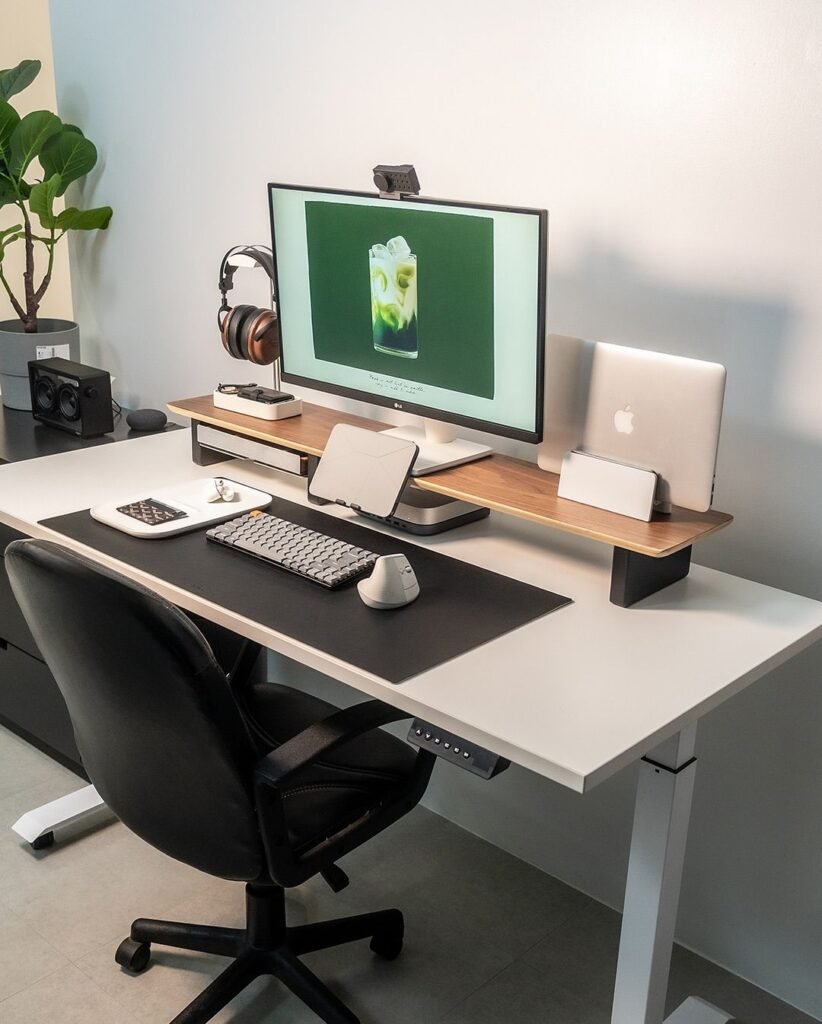
If you work off a desktop monitor or even just elevate your laptop, there’s a good chance there’s dead space beneath it as we speak. That gap between your monitor and your desk is prime storage territory — most people just never think to use that real estate.
A monitor riser kills two birds with one stone. It raises your screen up to a more ergonomic height, which is better for your neck. And the empty space below becomes an accessible shelf or drawer.
What Goes Under the Riser
It’s one of the most gratifying swaps you can make in your remote desk life because it’s completely visible — and totally organised.
When I got a monitor riser with a built-in shelf underneath, I placed these items inside:
- My wireless keyboard when not in use
- A small notebook and two pens
- A charging station for my phone and earbuds
I have the right height for my monitor now. And my keyboard, which previously took up space on the desk, now has a place to live.
Styles and Options
There are a number of different types of monitor risers available. Here’s a quick breakdown to help you decide:
Solid shelf style — A plain raised platform with a flat shelf underneath. Great for keyboards and notebooks.
Drawer style — Contains a sliding drawer underneath the main platform. Best for things you want out of sight.
Adjustable height style — Allows you to change the height over time. Perfect if your arrangement or seating is not fixed.
For an at-home office with a small desk area, the drawer style generally provides the best bang for your buck. You have storage you can actually close.
Idea #3 — A Cable Management Box That Eliminated Visual Chaos
Storage Idea 3 of 5
The Surprisingly Large Problem With Cables
Cables are the hidden killers of remote desk life aesthetics. They sprawl. They tangle. They collect dust. Even when everything else on your desk is organised, one messy cable cluster can derail the whole affair.
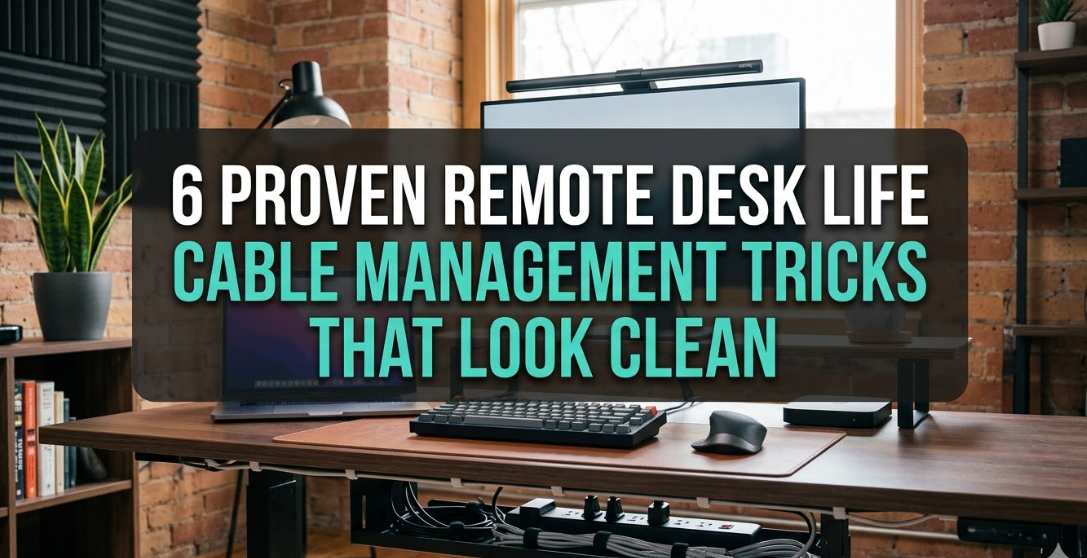
If you have a power strip on or near your desk — and most remote workers do — then a cable management box is the single quickest way to tidy up the aesthetic.
How a Cable Management Box Works
A cable management box is just that — a container with ventilated sides that hides your power strip and the mess of cables plugged into it. You feed the cables into a small opening, press the lid shut, and poof — it’s gone.
What was once a mass of cords and a clunky power strip is now a sleek, rectangular box quietly blending into the desk ecosystem.
I was surprised by how much difference this made. That cable box made the most annoying part of my desk look purposeful.
Setting It Up Right
To make the best of this solution, here are some useful tips:
- Put the box near the back edge or side of your desk so it’s out of your direct line of sight
- Velcro cable ties inside the box prevent tangles even when you can’t see them
- Opt for a matte-finish box — less light reflection means less attention drawn to it
- Ensure the enclosure has ventilation holes so your power strip doesn’t overheat
It’s one of the least expensive upgrades for any remote desk life setup, running about $15–$30, but it provides a visual upgrade that looks like an entire redesign. According to Wirecutter’s cable management guide, proper cable organisation is one of the highest-impact, lowest-cost desk improvements you can make.
Idea #4 — A Desktop File Sorter That Gave Papers a Permanent Home
Storage Idea 4 of 5
The Paper Problem No One’s Talking About
Digital work won’t make paper go away — at least not for most remote workers. If you sign documents, take notes, maintain reference sheets or receive any physical work-related mail, paper is omnipresent on your desk.
Paper will just continue to pile up without a system. And once a stack is started, it quickly grows.
A desktop file sorter is a vertical organiser with slots that sits on your desk and keeps papers upright, sorted and accessible. It sounds simple — and it is. But simple works.
How I Organised My File Sorter
The secret to a useful desktop file sorter is assigning each slot a meaningful, named purpose. If the slots are too vague, papers get shoved in the wrong places and the entire system collapses.
Here’s the labelling system I landed on:
| Slot | What Goes Here |
|---|---|
| Slot 1 — Action Required | Bills to pay, forms to sign, tasks due today |
| Slot 2 — In Progress | Projects I’m actively working on |
| Slot 3 — Reference | Documents I need frequent access to |
| Slot 4 — To File | Papers to archive or scan later |
| Slot 5 — Out | Items needing hand off, mailing or returning |
With this system, each piece of paper that touches your desk has a destination. Nothing sits in limbo. Nothing forms a pile.
Choosing the Right One for Your Remote Desk Life
There are vertical accordion file sorters and also horizontal stack file sorters. The vertical accordion style minimises horizontal space used, which keeps more things in view for most remote desk life setups.
Most durable are those made of mesh metal. Bamboo versions are warmer and match wood desks better. The plastic versions are easiest on the wallet.
Aim for five or six slots so you have enough categories without making the system unwieldy.
Idea #5 — A Pegboard Wall System That Took Everything Off the Desk Entirely
Storage Idea 5 of 5
Thinking Vertically Changes Everything
The first four solutions are all about optimising the desk itself — what goes on it, what goes under it, what gets stashed inside it. This fifth idea is of a wholly different nature.
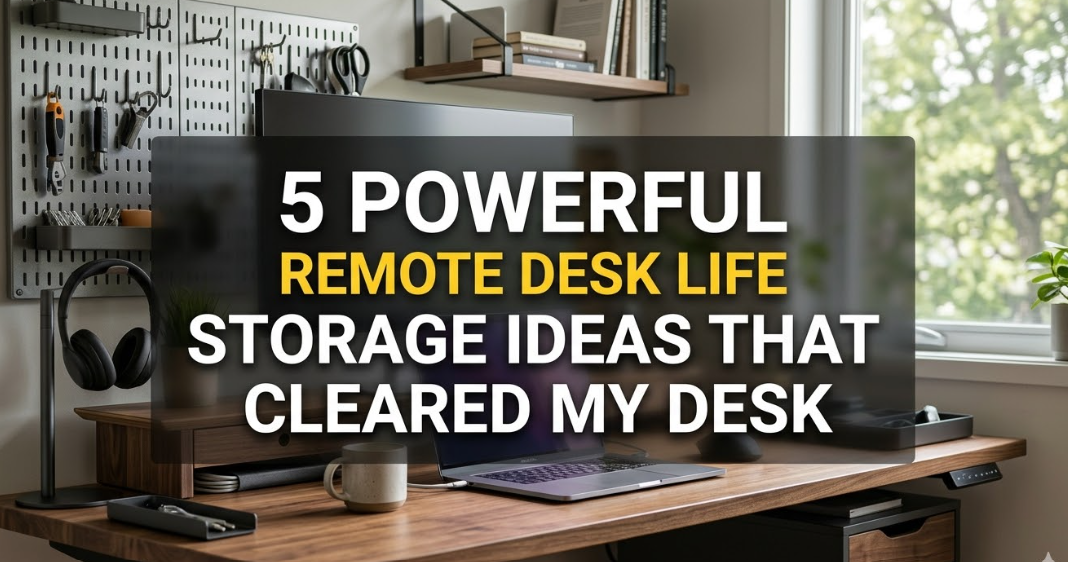
Instead of squeezing in more clever spots on your desk for stuff, a pegboard wall system lifts everything up and off the surface, onto the wall behind or above your workspace.
This was the most life-changing remote desk life upgrade I achieved. It felt like I suddenly had twice as much desk space.
What a Pegboard System Can Hold
A pegboard is a sheet of material — typically hardboard, metal or MDF — with holes spaced at regular intervals. You put hooks, shelves and accessories into those holes, and you can rearrange them any way you want.
For a home office setup, a pegboard wall system can hold:
- Headphone hanger — suspends headphones off the desk and out of the way
- Small shelf — holds a plant, small speaker, or decorative item
- Hooks — for cables, bags, jackets or small pouches
- Pen and marker holders — cups that fit directly into peg holes
- Calendar or whiteboard — a small board for planning your day
- Phone ledge — a small angled shelf for your phone at eye level
The result is that your most-used accessories transfer from the surface of your desk to the wall — visible and easy to reach, but completely out of your actual workspace.
Setting Up Your Pegboard
You don’t need a mammoth-size pegboard to pull this off. Even a 24″ × 24″ panel makes a significant impact.
Begin with the items that are most often in your hand during the day. Those go up on the pegboard first, at heights that feel natural. Next, put secondary items around them.
Leave some holes empty. Pegboards look best when they’re not stuffed to the brim. Breathing room makes the system feel intentional, not cluttered.
If you’re in a rental and can’t put holes in your wall, look for freestanding pegboard frames that sit on the floor behind your desk, or adhesive-mount pegboard panels made specifically for renters.

How These 5 Ideas Work Together
All these solutions help solve a segment of the clutter problem. But the combination of all five is where the real power lies.
Here’s how they work in concert during a typical remote desk life setup:
The pegboard houses daily-use accessories that would have cluttered your desktop. The monitor riser raises your screen to a healthy height and stashes your keyboard when not in use. The under-desk drawer gobbles up all the little odds and ends that used to clutter your desktop. The file sorter provides a specific, labelled home for every sheet of paper. And the cable management box hides the power and charging mess completely.
Together they form a layered system where nothing is homeless. Everything in its place and every place with a purpose.
Quick-Start Guide: Which Solution to Try First
| Your Biggest Problem | Start With This |
|---|---|
| Too much small stuff everywhere | Under-desk drawer |
| Monitor too low + too much on desk | Monitor riser with storage |
| Cables look like a jungle | Cable management box |
| Papers piling up constantly | Desktop file sorter |
| Desk feels cramped | Pegboard wall system |
| All of the above | Cable box first (fastest impact) |
Budget Breakdown: What This Actually Costs
| Solution | Average Cost (USD) |
|---|---|
| Under-desk drawer | $15 – $35 |
| Monitor riser with storage | $25 – $60 |
| Cable management box | $15 – $30 |
| Desktop file sorter | $12 – $28 |
| Pegboard wall system (basic) | $20 – $55 |
| Total for all five | $87 – $208 |
Even at the top of that range, a full desk makeover under $210 is one of the smartest investments you can make in your home office. The benefits in daily focus and reduced stress are difficult to quantify — but they show up every single day.
Small Habits That Keep Your Desk Clear Long-Term
Storage solutions create the system. Yet habits make the system run.
After implementing all five of these ideas, here are three small daily habits that have kept my desk clear for months:
The 5-minute reset. Take five minutes at the end of every workday to return everything to its home. Nothing gets left out overnight.
One-in, one-out. Before you add any new item to your desk setup, get rid of something that is no longer useful. This prevents gradual clutter creep.
Weekly paper sweep. Every Friday, sort through the file sorter. Put anything in the “To File” slot into actual storage. Get rid of anything you don’t need anymore. Keep the slots lean.
They require almost no time at all, but add up to a consistently clean, functional workspace over weeks and months.
FAQs About Remote Desk Life Storage Ideas
Q: Do I need a big desk for these storage methods to work?
Not at all. Most of them are tailored to small or compact desks. The under-desk drawer and monitor riser actually add usable surface space rather than taking it away. All five ideas work wonders even on a 40-inch desk.
Q: Can an under-desk drawer damage my desk surface?
That depends on the mounting style. Adhesive-mounted drawers use strong but removable adhesive strips that leave no marks — great for renters. Screw-mounted versions are more secure but less portable. Always check the product instructions before installing.
Q: What is the best pegboard material for a home office?
For most remote workers, a standard hardboard or MDF pegboard will do just fine and is the cheapest. Metal pegboards are more sturdy and have a modern aesthetic, but they cost more. Steer clear of very thin plastic pegboards — they flex under load and hooks tend to pop out.
Q: I am working out of a rental apartment. Can I still use a pegboard?
Yes! There are several renter-friendly options. Freestanding pegboard frames don’t need any wall attachment. Some pegboard panels use adhesive wall mounts designed to release without damaging the surface. If you’re unsure, always check with your landlord about wall installations.
Q: How can I prevent tangled cables inside a cable management box?
Bundle cables with velcro reusable cable ties before putting them in the box. Give each cable a consistent path from plug to exit hole. The aim is organised routing, not stuffing cables in any which way. It adds five minutes to setup, but it really helps.
Q: Do these storage ideas work for standing desks?
Absolutely. Under-desk drawers mount to the underside of the desk frame and work with sit-stand desks — as long as you measure the available drop space. Monitor risers and cable boxes sit on the surface and are compatible with any desk type. For pegboards, simply hang them at a height that works whether you’re sitting or standing.
Q: Do we need five slots in a file sorter, or would two or three do?
If you have a low paper volume, two or three slots might do. The key is that every slot serves a defined purpose. A vague “inbox” pile turns into a junk pile quickly. If you handle four or more types of paper regularly, five or six slots will serve you much better.
Wrapping Up: Your Desk Can Be Your Greatest Tool
A messy desk is more than a surface-level issue. It’s a productivity issue, a focus issue, and eventually, a stress issue.
The five remote desk life storage ideas in this article — the under-desk drawer, the monitor riser with storage, the cable management box, the desktop file sorter and the pegboard wall system — each tackle specific sources of desk clutter. Combined, they make a workspace that actually works for the way you work.
You don’t have to put all five into practice at once. Begin with whichever one speaks to your biggest frustration right now. Even a single change can rework how your day feels.
A clear desk doesn’t have to be a spotless one. It means a desk that functions for you — and it’s all just within reach.