Meta Description: Scroll to learn 7 remote desk life organization hacks that turn even the smallest home office into a distraction-free, organized space.
7 Genius Work From Home Desk Hacks For Tiny Home Offices
Getting to work from home sounds like a dream come true. No commute. No office dress code. Coffee in your own mug.
But if your desk is tiny, your room is tight and clutter keeps accumulating — the dream can rapidly become a headache.
The good news? You don’t need a swanky home office to act like a professional. All you need are the right remote desk life organization hacks.
In this article, learn about 7 budget-friendly tricks that show that you can make the most of a small workspace. Whether you’re working off a corner desk, a foldable table or even a converted closet — these tips should help you stay focused, organized and sane.
Let’s get into it.
Why Small Home Offices Require Special Attention
A messy work environment isn’t simply unsightly. It’s costly — in time, concentration and effort.
Research at Princeton University discovered that physical clutter competes for your attention. That means every stack of papers, knotted cable or random object on your desk is quietly sucking up your mental energy — even when you’re not looking at it.
Small home offices face an added challenge. You don’t simply “add more space.” You have to be clever with the space you already occupy.
That’s precisely what these remote desk life organization hacks are made for.
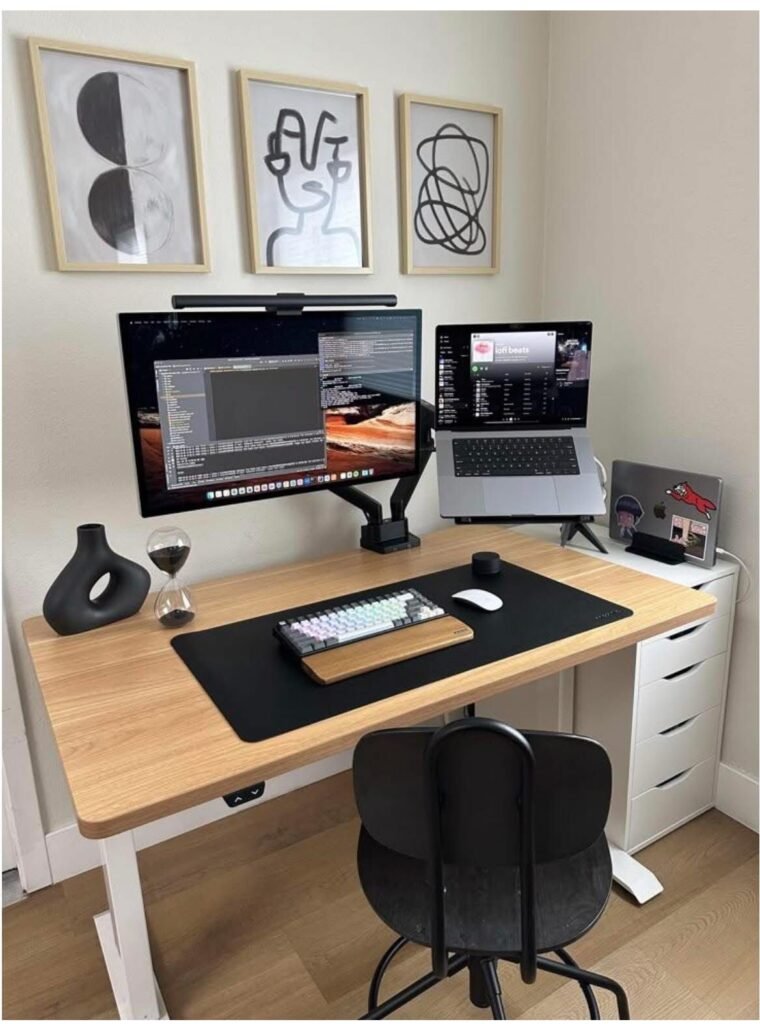
Hack #1 — Go Vertical: Utilize the Wall Space Over Your Desk
Most care only about the top of their desk. But the wall above it? That’s prime real estate.
Shelves, Pegboards, and Wall Pockets
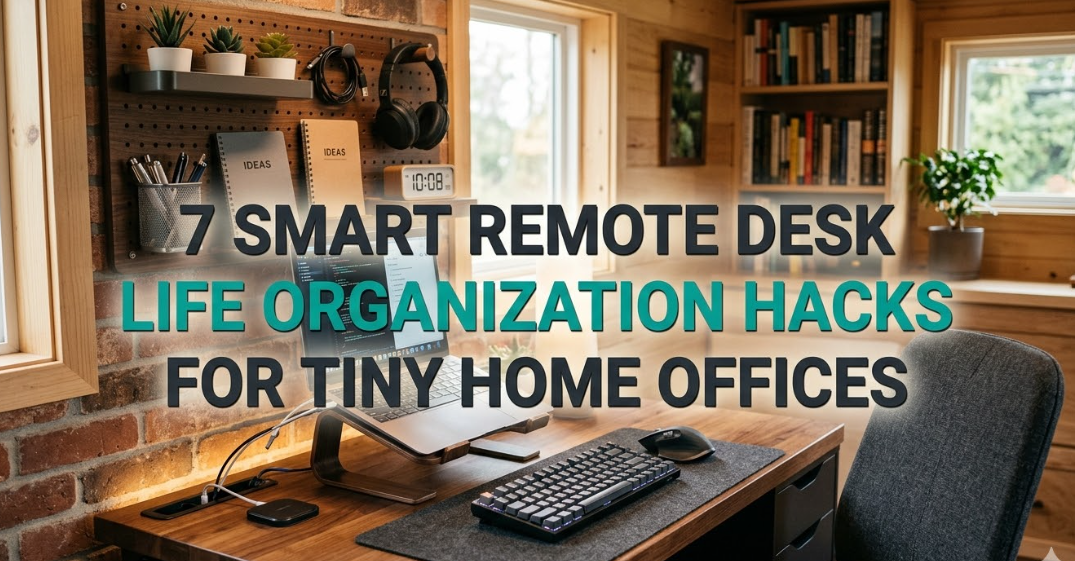
A small floating shelf hanging above your monitor can hold books, notebooks or a small plant. A pegboard saves you from losing accessories, headphones, notes and tools in the abyss — it makes everything vertical and visible but out of the way on your desk.
Wall-mounted file pockets are useful for organizing papers, mail or printed documents. They’re also inexpensive and clear up a surprising amount of desk real estate.
Quick tip: When you hang things up, store your most-used tools at eye level. Weekly-use items may go higher up.
What to Hang in Your Wall Space
| Item | Best Wall Placement |
|---|---|
| Headphones | Pegboard hook at eye level |
| Notebooks / planners | Floating shelf within arm’s reach |
| Charging cables | Cable clip |
| Reference books | Higher shelf |
| Whiteboard or corkboard | Direct sightline from chair |
Going vertical is the No. 1 easiest way to clear your desk surface without costing a lot of money.
Hack #2 — Get Cable Management Right Once and for All
Messy cables are the number one visual clutter problem on small desks. They get tangled, collect dust and render even a tidy desk untidy.
Three Tools That Quickly Straighten Out Cable Chaos
Cable clips attach to the lip of your desk and secure individual cords. Routing your charging cable, monitor cable and keyboard wire neatly along the desk edge prevents them from flopping around.
Cable trays attach under your desk and hold a power strip along with all the cords out of sight. This is a game-changer. All of a sudden, your desk surface is clean and all your cables are out of sight.
Velcro ties replace zip ties. They allow you to group cords and quickly adjust them whenever you swap devices.
The 3-Step Cable Cleanup Method
- Unplug everything and place it flat down on the floor
- Keep cables organized by destination (monitor, phone, laptop, audio)
- Guide each bunch along the same path and clamp it with clips or velcro
It takes 20 minutes and makes a big visual difference. It’s one of those most gratifying remote desk life organization wins you’ll ever feel.
Hack #3 — Maximize Your Storage Space With Dual-Purpose Furniture
In a home office, every piece of furniture needs to earn its keep.
Foldable Desks and Expandable Surfaces
A folding wall-mounted desk is ideal for rooms that serve as both a bedroom and living room. When you’re finished working, fold it away. Your “office” disappears.
Murphy desks, wall-mounted folding tables and convertible standing desks all fulfill this need. Many of these setups are under $150 and can hold an entire monitor setup.
Secret Storage That Does Not Look Like Storage
- Lidded ottoman — stores cables, accessories or a laptop bag inside
- Hollow monitor stand — move your monitor atop a platform with drawers below
- Desk with integrated drawers — you can even settle for a single shallow drawer to keep your top surface clean
- Shelf-divider — turns part of a room into another office “zone” while stowing supplies
You want to put things inside your furniture, not on top of it.
Hack #4 — Make Desk Zones for Multiple Work Types
If you make one mindset shift, it can change everything: your desk doesn’t need to be one long flat surface. It can be sectioned off into zones, and each zone has a purpose.
The Three-Zone System
Zone 1 — Work zone (center)
This is right in front of you. All it houses is your keyboard, mouse and notepad. Nothing else lives here permanently.
Zone 2 — Tech zone (one side)
This is where your chargers, headphones and any peripherals live. Confine it to one side of your screen.
Zone 3 — Supplies zone (other side)
Pens, sticky notes, a small cup and a water bottle live here. This zone should be small — one small tray, not a sprawl.
The Reason Zones Work So Well in Small Spaces
If you have a designated place for everything, then you won’t spend unnecessary time looking for things. You also quit tossing things into whatever bit of open space is available — which is how clutter accrues in the first place.
Label your zones if needed. A little piece of tape with a label is not silly. It’s a system.
Hack #5 — Make the Digital-First Move Away from Paper Piles
Paper is the stealth villain of every small home office.
It piles up fast. It’s hard to organize. And most of it? You will never look at it again.
Switch to a Digital-First Workflow
- Use a free app such as Adobe Scan or Microsoft Lens to scan important documents
- Use cloud storage such as Google Drive or Dropbox for all files
- Take meeting notes digitally — Notion, Obsidian or even the Notes app
- Where you can, unsubscribe from physical mail and go for e-statements
The One-Touch Rule for Paper
If a piece of paper comes to your desk, handle it at once. Scan it and toss it, or file it. Don’t let it sit.
Just this one habit can reduce your desk clutter by 40% or more.
| Paper Item | Digital Alternative |
|---|---|
| Printed calendar | Google Calendar or Notion |
| Sticky note reminders | Notion tasks or Apple Reminders |
| Physical receipts | Expensify or a scan + Drive folder |
| Handwritten to-do list | Todoist, Trello, Apple Notes |
| Printed reference docs | PDF in your cloud folder |
Going digital is one of the best remote desk life organization moves you can make — particularly in a tiny space. For more tips and tools tailored to remote workers, visit Remote Desk Life — a dedicated resource for home office productivity and setup inspiration.
Hack #6 — Clean Up Your Lighting & Ergonomics (It Makes You More Organized Too)
This one surprises people. How does lighting relate to organization?
More than you think.
Bad Lighting Creates a Messy Desk
When your desk is poorly lit, things tend to pile up. You get lost on what’s where. Things get shoved in drawers instead of stored properly.
Good light makes you notice the surrounding environment. It creates accountability. A brightly lit desk just begs you to keep it clean.
The Right Lighting Setup for a Small Home Office
Natural light — Don’t have a window behind you; have your desk facing a window. Reflections cause eye strain and make it hard to see the display.
Task lighting — A small LED desk lamp illuminating your work surface minimizes eye fatigue while allowing you to see well without flooding the entire room with light.
Bias lighting — A LED strip behind your monitor lowers the contrast of your screen and is well worth it for long stretches of work.
Ergonomics and Clutter Are Connected
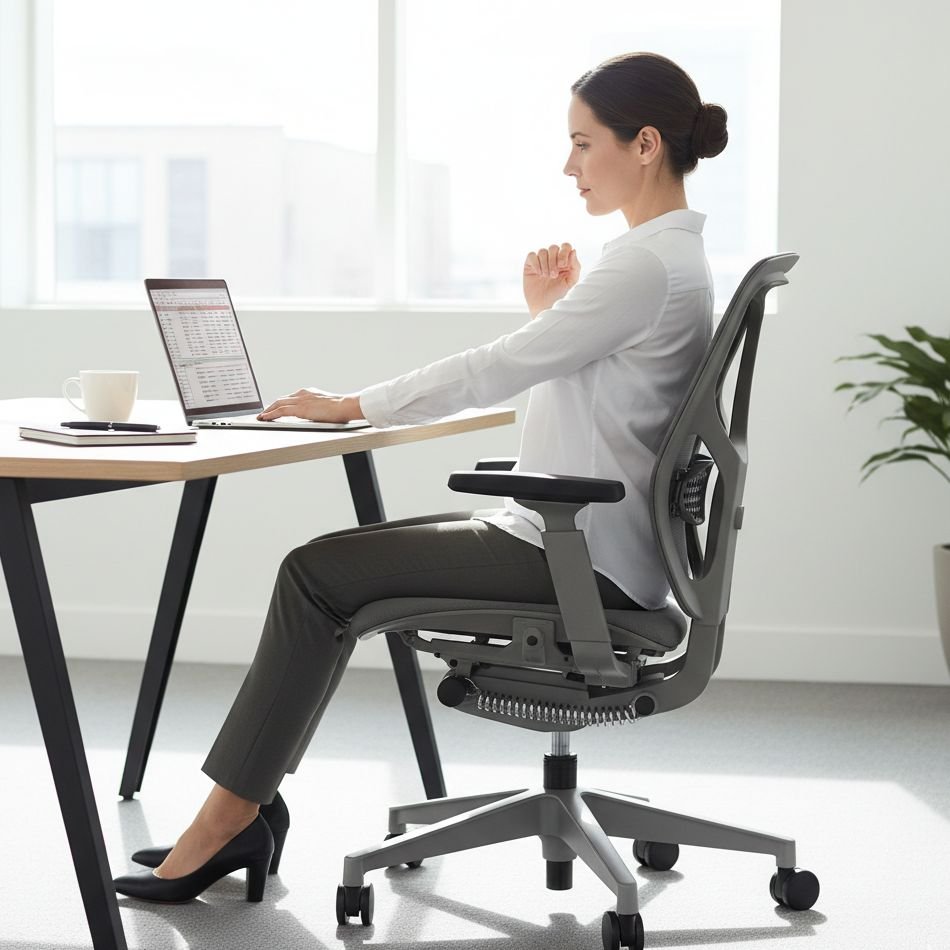
A poorly set-up desk leads to more clutter. Why? Because when your chair height, monitor distance or keyboard angle is off, you subconsciously move things around trying to get comfortable. Items end up in random spots.
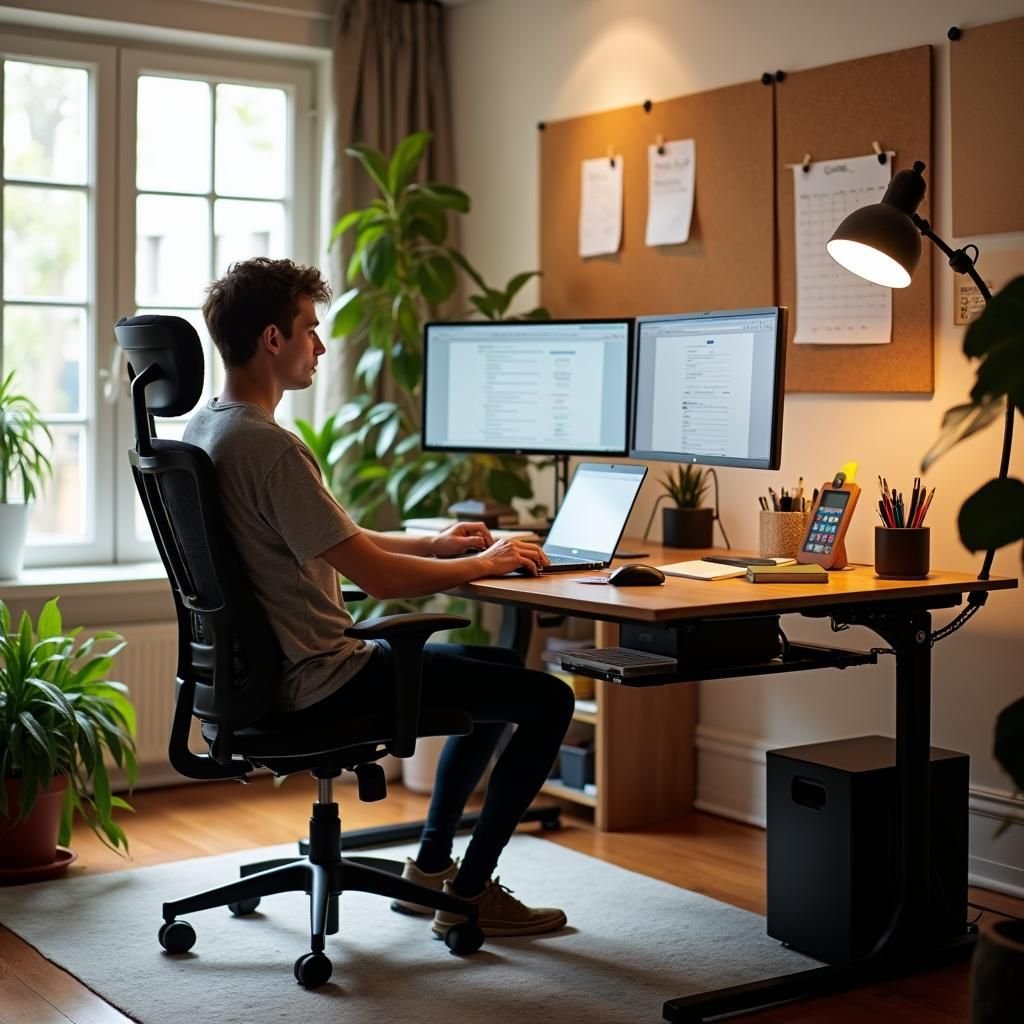
Getting your ergonomics in order — chair at 90°, monitor at eye level, keyboard and mouse at elbow height — ensures you are no longer rearranging everything mid-session.
Hack #7 — Create a 5-Minute End-of-Day Reset Routine
There’s no point in getting organized if you can’t keep it up. All the organization tips in the world won’t matter if you don’t maintain them.
Arguably the most powerful habit for a clean remote home office is the 5-minute end-of-day reset.
What the Reset Looks Like
Before you close your laptop, do this:
- Remove all items from the center work zone
- Put any things back in their respective sections
- Coil and clip any cables that are not where they should be
- Deal with any paper — scan, file or recycle
- Wipe the surface with a dry cloth
That’s it. Five minutes. Every single day.
Why This New Habit Lasts — and Others Fade
Most people attempt to do a “big clean” once a week or monthly. But clutter accumulates faster than that. By the time you clean, it’s overwhelming.
A daily reset keeps things at zero. It only takes five minutes now versus forty-five minutes later.
Pro tip: Tie the reset to something you already do. For instance: “When I shut my laptop, I do my 5-minute reset. Afterward I prepare my evening cup of tea.” This technique, known as habit stacking, helps make new routines stick much more quickly.
Bringing It All Together — How to Transform Your Tiny Home Office
Here’s how to implement these remote desk life organization hacks without getting overwhelmed:
| Week | Focus Area | Time Needed |
|---|---|---|
| Week 1 | Cable management + vertical storage | 2–3 hours |
| Week 2 | Desk zones + declutter surfaces | 1–2 hours |
| Week 3 | Go digital-first, scan old papers | 2 hours |
| Week 4 | Lighting setup + ergonomic adjustments | 1 hour |
| Ongoing | 5-minute daily reset routine | 5 min/day |
Don’t attempt to do it all at once. Choose one hack to do this weekend and get started.
The Most Frequent Errors in Small Home Offices
Before you get started, here are a few common pitfalls to avoid:
Purchasing additional storage without first decluttering. New bins and shelves will do you no good if you’re simply storing clutter more attractively. Declutter before you organize.
Ignoring the floor. Any room piles down bags, cables and boxes on the ground. Identify things to get off the floor as much as you can.
Over-decorating a tiny desk. Plants, candles and framed photos are great — but in a small space, limit decorations to 1–2 items max. Everything else competes for your attention.
Setting up without testing. Set up your room, then sit and work through the whole day. See what feels off. Adjust. None of your layouts are final just because you make them.
FAQs — Remote Desk Life Organization for Tiny Home Offices
Q: How do I set up a home office when I have nearly no space?
Start vertical. Wall shelves, pegboards and wall-mounted accessories can help get things off your desk. Next, partition your desk into zones and keep only essentials within reach on your work surface.
Q: What should I first organize on a small desk?
Cables. Messy wires are the fastest visual clutter fix. Take 20 minutes to route and clip your cables, and your desk will look instantly cleaner and more professional.
Q: How do I maintain a clean home office desk every day?
Use the 5-minute end-of-day reset. Each day before you leave the office, take five minutes to put everything back where it belongs, clear paper and wipe off the surface. When done consistently, this stops clutter from ever accumulating.
Q: Is a small desk even functional for full-time remote work?
Absolutely. Many full-time remote workers have desks as small as 40×60 cm. The secret is vertical storage, cable management, a clean zone system and a digital-first workflow. The size of the space matters less than how organized it is.
Q: What are some good affordable tools for home office organization?
Pegboards (~$20–$40), cable clips ($5–$10), under-desk cable trays ($15–$25), floating shelves ($15–$30) and velcro ties ($8–$12) are the highest-value, lowest-cost tools. Combined, they cost about $60–$100 and can completely transform a messy desk.
Q: Does lighting actually impact how organized my desk feels?
Yes. Poor lighting can make it difficult to notice clutter as it piles on, and harder to find things when they’re needed. A simple LED desk lamp helps you see better and feel more organized.
Q: How often should I deep clean my home office?
With a 5-minute reset each day, you really only need a full deep clean about once a month. Without a daily habit, you’ll have to deep clean weekly — which is far more disruptive to your work schedule.
Final Thoughts — Little Room, Lotta Productivity
A small home office doesn’t have to be restrictive.
With the proper remote desk life organization tactics — including decluttering your space and making necessary adjustments — even the tiniest corner of your home can evolve into a workspace you’re proud to be in, and one from which your best work is produced.
Start with one hack. Build from there. Wait a week before you evaluate the results.
Perfection isn’t the goal for a desk. The point is to have a desk that works for you — one that reduces mental noise, allows you to find things faster and lets you focus on getting the stuff done that really matters.
Your micro office is ready to be transformed. Now you have everything you need to get started.