6 Proven Remote Desk Life Declutter Lessons I Learned the Hard Way
Working from home sounds like a dream—no commute, flexible hours, and the comfort of your own space. But when your workspace is also your living space, clutter can quietly take over before you realize it.
When I first started working remotely, my desk slowly turned into a chaotic mix of coffee mugs, sticky notes, tangled cables, notebooks, and random gadgets. What looked like a “productive mess” at first soon became a daily source of stress and distraction.
Over time—and after many frustrating workdays—I learned several powerful lessons about decluttering a remote workspace. These lessons didn’t come from fancy productivity systems or expensive office furniture. They came from trial, mistakes, and gradual improvement.
This guide shares 6 proven declutter lessons I learned the hard way, along with practical examples, tables, and strategies you can apply immediately to transform your remote desk life.
Why Desk Decluttering Matters for Remote Workers
Remote workspaces affect far more than just aesthetics. A cluttered desk directly impacts focus, mental clarity, and productivity.
Research on workspace organization consistently shows that visual clutter increases cognitive load. In simpler terms, your brain must process every object within your field of view—even when you’re trying to ignore them.
Effects of Desk Clutter
| Problem | Impact on Remote Work |
|---|---|
| Visual clutter | Reduces focus and attention |
| Disorganized tools | Slows down workflow |
| Paper pileups | Causes stress and overwhelm |
| Cable mess | Creates frustration during setup |
| Limited space | Restricts movement and comfort |
A decluttered workspace, on the other hand, supports:
- Clear thinking
- Faster task switching
- Reduced stress
- Better posture and ergonomics
- Higher productivity
But achieving this clarity requires more than simply cleaning your desk once.
Lesson 1: Decluttering Once Isn’t Enough
One of the biggest mistakes I made early on was thinking decluttering was a one-time event.
I would clean my desk on Sunday evening, feel great about it, and by Wednesday the mess would slowly creep back.
The reality is simple: clutter is a process, not an event.
Remote workspaces accumulate items daily:
- notebooks
- cables
- snacks
- gadgets
- documents
- sticky notes
Without a system, these items slowly pile up.
The “Daily Reset” Method
Instead of relying on occasional deep cleaning, I introduced a simple daily desk reset.
It takes less than 3 minutes but prevents clutter buildup.
| Step | Action | Time Required |
|---|---|---|
| 1 | Return tools to their place | 30 seconds |
| 2 | Throw away unnecessary paper | 30 seconds |
| 3 | Align keyboard, mouse, monitor | 20 seconds |
| 4 | Wipe desk surface | 40 seconds |
| 5 | Close unused tabs & apps | 40 seconds |
Total time: less than 3 minutes
Over weeks, this simple routine transformed my workspace.
Lesson 2: Too Many Tools Create Hidden Clutter
Another painful lesson was realizing that owning too many productivity tools actually reduces productivity.
At one point, my desk contained:
- 5 notebooks
- 3 planners
- multiple pens
- two headphones
- tablet
- laptop
- external keyboard
- microphone
- camera
- cables everywhere
Individually, each item had a purpose. Together, they created chaos.
The “3 Tool Rule”
I adopted a rule that drastically simplified my desk.
For every task category, keep only three tools.
Example:
| Task | Tools Allowed |
|---|---|
| Writing | 1 notebook, 2 pens |
| Audio | 1 headset, 1 mic |
| Digital devices | laptop + monitor |
| Notes | digital app + sticky notes |
This rule forces intentional choices.
Instead of keeping everything “just in case,” you only keep tools you truly use.
Lesson 3: Cables Are the Silent Clutter Problem
One of the most frustrating parts of remote desks is cable clutter.
Even minimal setups can quickly look messy when power cords, charging cables, USB connectors, and monitor cables pile up.
Common Cable Clutter Sources
| Device | Cable Type |
|---|---|
| Laptop charger | Power cable |
| Monitor | HDMI / DisplayPort |
| Keyboard | USB |
| Mouse | USB |
| Phone | Charging cable |
| Headphones | Audio or charging |
When cables remain unmanaged, they create:
- visual clutter
- cleaning difficulty
- accidental unplugging
- desk space limitations
Cable Declutter Strategy
I solved this with a 3-step cable system.
| Step | Solution |
|---|---|
| Identify | List all cables used daily |
| Bundle | Use clips or sleeves |
| Hide | Route cables under desk |
Within minutes, the workspace feels cleaner—even if nothing else changed.
Lesson 4: Paper Is the Most Dangerous Desk Clutter
Digital clutter gets attention, but paper clutter is the real desk killer.
Receipts, printed notes, envelopes, and documents pile up faster than expected.
During my worst clutter phase, I had stacks of paper that I hadn’t touched in weeks.
Most of them weren’t even necessary.
Paper Declutter Decision Framework
When handling paper, I started asking three questions.
| Question | Action |
|---|---|
| Do I need this later? | Scan it |
| Is it important legally? | File it |
| Is it temporary info? | Throw away |
Using this method, I reduced paper clutter by nearly 80%.
Paper Management System
| Category | Storage Method |
|---|---|
| Important documents | file folder |
| Bills and receipts | digital scan |
| Temporary notes | notebook |
| Random papers | discard immediately |
Remote desks should ideally contain zero loose paper.
Lesson 5: Desk Size Doesn’t Fix Clutter
Many people believe upgrading to a bigger desk will solve clutter problems.
I thought the same thing.
After buying a larger desk, something surprising happened.
The clutter simply expanded to fill the new space.
This phenomenon is similar to Parkinson’s Law, where work expands to fill available time.
The same principle applies to desks.
Desk Space vs Clutter Relationship
| Desk Size | Typical Result |
|---|---|
| Small desk | forced minimalism |
| Medium desk | moderate clutter |
| Large desk | maximum clutter potential |
The key insight:
Better organization beats larger furniture.
Instead of expanding desk size, I focused on zones.
Simple Desk Zoning System
| Zone | Purpose |
|---|---|
| Work zone | keyboard, mouse |
| Viewing zone | monitor |
| Writing zone | notebook |
| Storage zone | drawer or tray |
Limiting each zone prevents clutter overflow.
Lesson 6: Visual Simplicity Boosts Mental Clarity
The most powerful declutter lesson I learned was psychological.
Your desk affects how your brain feels.
A cluttered desk creates:
- mental fatigue
- decision overload
- constant distraction
A clean desk does the opposite.
Before vs After Desk Layout
| Feature | Cluttered Desk | Minimal Desk |
|---|---|---|
| Items visible | 20+ | 5–7 |
| Cleaning time | 10 minutes | 1 minute |
| Focus level | Low | High |
| Stress level | High | Low |
After simplifying my workspace, my focus sessions improved significantly.
Tasks that used to take 2 hours now took about 90 minutes.
Visual Declutter Checklist for Remote Workers
Use this checklist weekly.
| Item | Yes / No |
|---|---|
| Are there unused gadgets on desk? | |
| Are cables visible and messy? | |
| Are there more than 3 notebooks? | |
| Is paper stacked on desk? | |
| Are random items stored on desk? |
If you answer yes to more than two, your desk likely needs decluttering.
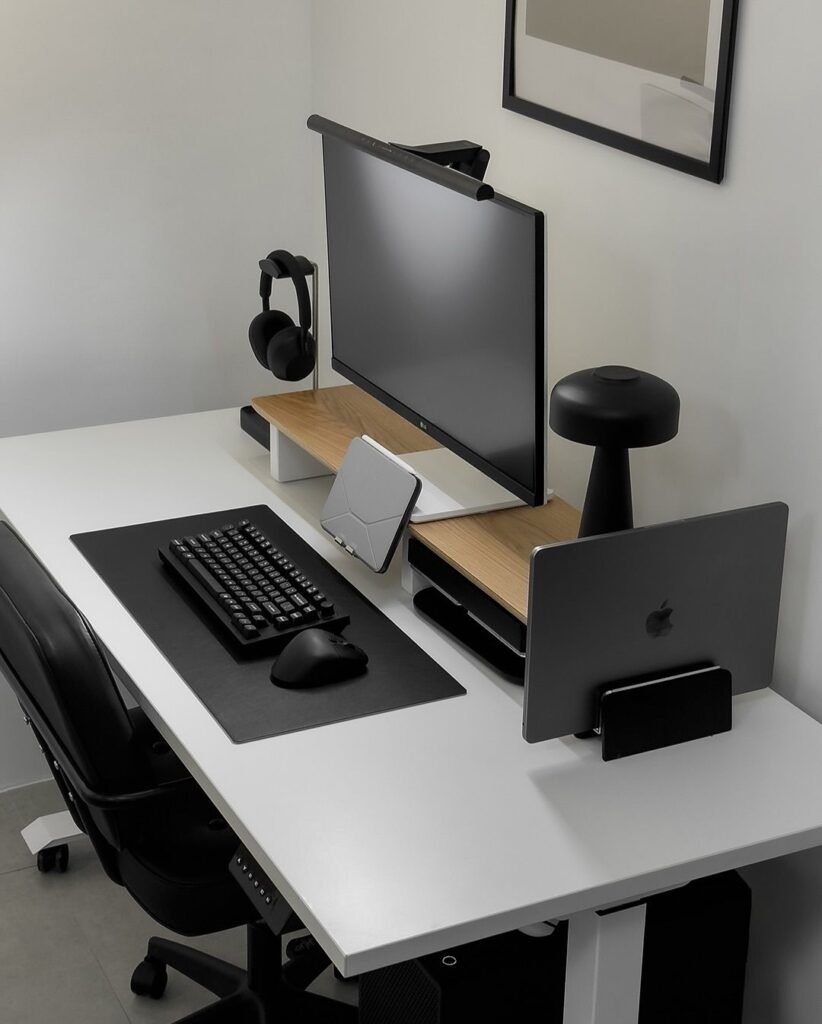
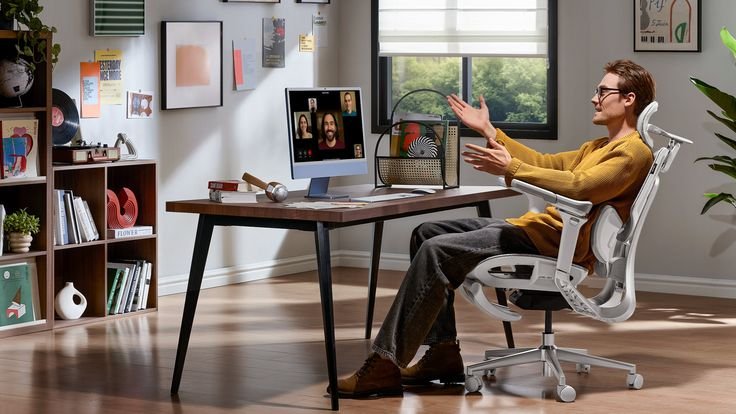
Minimal Remote Desk Setup Example
Here is an example of a clean and functional desk setup.
| Category | Item |
|---|---|
| Main device | laptop |
| Display | external monitor |
| Input | keyboard + mouse |
| Writing | notebook |
| Lighting | desk lamp |
| Personal item | plant |
Total visible items: 6–7 objects
That’s all most remote workers truly need.
Weekly Desk Declutter Routine
Instead of waiting for clutter to build, schedule a weekly 10-minute reset.
Weekly Reset Tasks
| Task | Duration |
|---|---|
| Clear paper piles | 2 minutes |
| Untangle cables | 2 minutes |
| Remove unused items | 2 minutes |
| Wipe desk | 2 minutes |
| Reorganize drawers | 2 minutes |
Total time: 10 minutes
Consistency matters more than perfection.
Signs Your Remote Desk Is Too Cluttered
If you notice these issues, your workspace may need a reset.
- You frequently lose pens or tools
- Your desk surface disappears under items
- You feel overwhelmed before starting work
- You constantly rearrange things during tasks
- You avoid cleaning because it feels too big
These signs indicate clutter has exceeded comfort levels.
The Long-Term Benefits of Desk Decluttering
Decluttering your remote workspace has ripple effects far beyond organization.
Productivity Improvements
| Area | Benefit |
|---|---|
| Focus | fewer distractions |
| Task completion | faster work |
| Stress | reduced mental load |
| Creativity | clearer thinking |
| Motivation | more pleasant workspace |
A well-organized desk quietly supports every workday.
Final Thoughts
Remote work gives you freedom—but that freedom comes with responsibility for your own workspace.
Decluttering isn’t about aesthetics or perfection.
It’s about creating an environment that supports clear thinking and focused work.
The six lessons shared here were learned through experience, frustration, and gradual improvement:
- Decluttering must be ongoing
- Too many tools create hidden clutter
- Cable management matters
- Paper piles grow quickly
- Bigger desks don’t fix clutter
- Visual simplicity boosts focus
Small daily habits and simple systems can transform even the most chaotic desk into a calm, productive space.
Your workspace doesn’t need to be perfect.
It only needs to support your best work.
Frequently Asked Questions (FAQs)
1. How often should I declutter my remote desk?
A quick daily reset and a weekly 10-minute cleanup usually keeps clutter under control. Waiting too long allows small messes to grow into large ones.
2. What is the ideal number of items on a desk?
Most productive desks contain 5 to 7 essential items. The fewer objects within your visual field, the easier it is to focus.
3. Should remote workers use drawers or open storage?
Drawers are generally better because they hide visual clutter. Open storage can work if items are minimal and neatly organized.
4. What is the biggest cause of desk clutter?
The most common sources are:
- paper piles
- unused gadgets
- tangled cables
- multiple notebooks
Removing these first usually produces the biggest improvement.
5. Does a minimal desk really improve productivity?
Yes. Reduced visual clutter lowers cognitive load, allowing the brain to focus more easily on tasks.
6. How long does it take to fully declutter a desk?
A full reset usually takes 15–30 minutes, but maintaining it requires only 3 minutes per day.