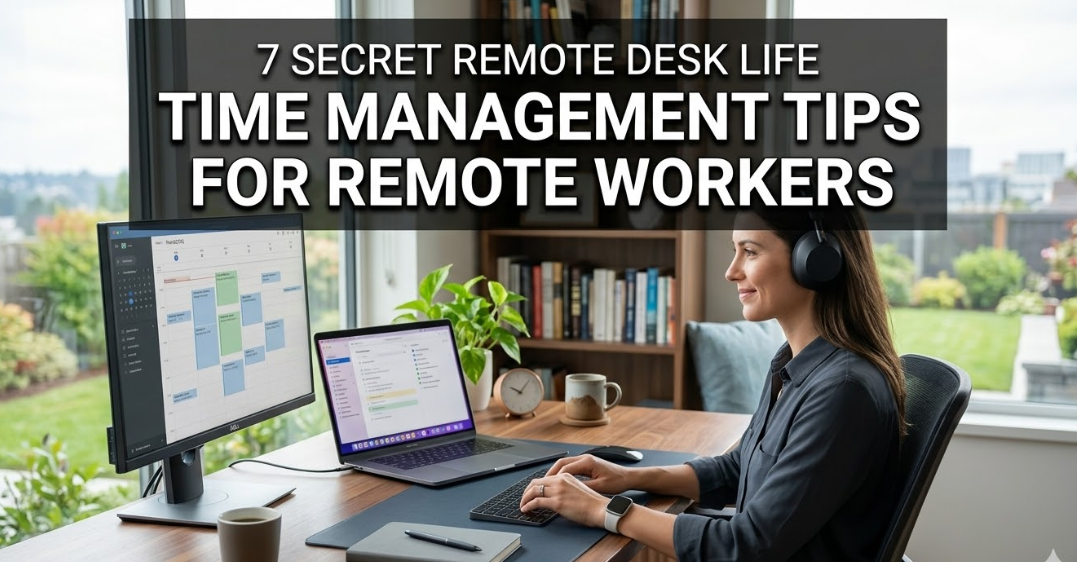
7 tips on time management for remote desk life
Secrets for remote workers
Working from home is a dream come true. No commute. No dress code. Coffee in your own mug.
But ask any remote worker and they will tell you the hard truth: managing your time at home is one of the most difficult things you’ll ever do.
The couch calls. Notifications pile up. Lunch bleeds into work. Next thing you know, it’s 6 PM and your to-do list hasn’t been touched.
That’s why managing your time when you’re working at a remote desk isn’t merely helpful — it’s a matter of survival. And the advice that everyone shares (get up early, write a list) can take you only so far.
This article digs deeper. These are 7 lesser-known, field-tested strategies used by real-life remote workers to reclaim their time, shield their focus, and actually get stuff done.
77%
of remote employees are more productive
54%
are having trouble with home time boundaries
2.5 hrs
avg. daily time lost to distraction
40%
of remote workers work more hours than expected
Remote desk time management: why it feels different
“In an office, you’re halfway through your work with the environment working for you. People are working around you. Your boss walks by. There’s an architecture that you didn’t have to build for yourself.”
That structure vanishes at your remote desk. You are the manager, the employee, and the environment all at once.
Remote desk life time management goes beyond being organized. It’s about re-engineering what your day feels like — so that productive behavior is the path of least resistance.
| Challenge | Office setting | Remote desk setting |
|---|---|---|
| Structure | Built-in by environment | Must be self-initiated |
| Accountability | Visible to peers | Self-monitored |
| Distractions | Mostly job-related | Home, family, social media |
| Work/life barrier | Physical separation | Blurred, often nonexistent |
| Energy management | Scheduled via meetings | Self-directed |
7 time management tips for remote desk life that truly work
Tip 01
Create a “fake commute” to get your brain in work mode
Your mind requires a signal that it is time to transition. In the office world, it was the commute that served as that signal — however irritating, it tuned your brain to work mode.
Many remote workers sit down at their desk still in “home mode” without it. Their brain hasn’t switched gears.
The fix: Fake a commute. This is a 10–20 minute ritual that tells your brain “work time is beginning.” It might be a short walk around the block, brewing a specific coffee drink, listening to a work playlist, or doing some quick stretches.
The key is consistency. Do the same thing every day. At some point, your brain associates the ritual with focus — and you’ll feel yourself slipping into work mode on autopilot.
The start of managing your time as a remote desk worker begins before that laptop even opens. That transition is sacred. Protect it.
Morning routineFocus triggerHabit stacking
Tip 02
Adopt time blocking — but make it personal, not perfect
A lot of people have heard about time blocking. But most people do it wrong.
They churn out the impossible schedule — 9:00 deep work, 11:00 emails, 12:00 lunch — and abandon it by Tuesday morning because real life is never so neat.
The takeaway: Group by energy type rather than just task type. Divide your day into three energy zones:
Peak zone
Your most energetic hours (typically morning). Guard this for your hardest, most creative, or most consequential work.
Maintenance zone
Mid-energy hours. Effective for meetings, emails, and daily tasks.
Recovery zone
Low-energy hours. Admin, light reading, planning tomorrow.
You don’t have to be perfect. You just need to be honest with yourself about when you’re really sharp — and stop spending those hours on things that don’t require your best brain.
This method of managing remote desk time respects the biology of focus, as opposed to merely the clock.
Tip 03
Use the “two-minute shutdown” to actually end your workday
One of the biggest pitfalls in remote desk life is never truly leaving work. Your laptop is always there. The Slack notifications never really go away. You slip in “just one more email” after dinner.
This gradually erodes your rest, your relationships, and — counterintuitively — your productivity the following day.
The two-minute shutdown is a simple end-of-day ritual:
- Write down your top 3 priorities for tomorrow (takes 60 seconds)
- Shut down every browser tab and application window
- Say aloud: “Shutdown complete” (sounds silly — works like a charm)
The verbal signal provides the psychological cue that work is completed. Research on cognitive closure finds that knowing when a task ends decreases mental rumination — the worrying whir of unfinished tasks that haunts you into the night.
It’s not just your working hours that demand the right approach to remote desk life time management. It’s about guarding your hours outside of work too.
Tip 04
The single-tab rule: crush context switching
Context switching is the death blow for remote work productivity. Each time you switch from document to YouTube to email to a news tab, your brain has to reload.
Studies have suggested that it can take as much as 23 minutes to completely regain deep focus after being distracted. And if you’re switching every few minutes? You might never reach deep focus at all.
The one-tab rule: During your Peak Zone hours, only one browser tab open at once. That’s it. One tab. One task.
This compels you to wrap up or consciously pause before moving on. Sounds extreme — but remote workers who try it for just one week repeatedly say they feel calmer, more in control, and more accomplished by the end of the day.
Combine this with a dedicated browser profile for work (no personal bookmarks, no social media shortcuts) and your remote desk becomes a distraction-free zone by design, not willpower.
Deep focusBrowser hygieneDistraction blocking
Tip 05
Make “fake meetings” with yourself — and attend them
Here’s a little-known remote desk life time management hack: schedule your own deep work sessions on your calendar as if they were real meetings.
Give them a title. Set a duration. Block the full time. Be non-negotiable about them, like a meeting with your most important client.
Why does this work? Because most remote workers only protect calendar time that’s “officially” taken. If a slot looks free, they check requests, scroll social media, or drift into shallow tasks.
When “Write Project Report” is blocking the calendar from 9 to 11 AM, you are compelled to show up for it. You’re less likely to let other things creep in.
Bonus: If you share your calendar with your team, colleagues can see that you’re busy — reducing the risk of being pulled into spontaneous calls or unnecessary interruptions during your deep work windows.
How to prepare for a self-meeting
- Title it descriptively (not “Work Time”)
- Set a definite deliverable in the notes field
- Turn on “Do Not Disturb” the moment it begins
- Evaluate results at the end — did you accomplish what you intended?
Tip 06
Try the “90/20 rule” instead of the Pomodoro
Most people know the Pomodoro Technique — work 25 minutes, take a 5-minute break, repeat. It’s popular for a reason. But it may not suit remote desk life all that well.
Here’s why: 25 minutes is often too short to achieve truly deep focus on complex work. Before you’re “in the zone,” the timer goes off.
The 90/20 Rule is rooted in the body’s natural ultradian rhythms — the cycle your body runs through roughly every 90 minutes, toggling between high and low alertness.
Work intensely for 90 minutes. Then take a real 20-minute break — not a “scroll Instagram for 20 minutes” break, but an actual rest. Walk, lie down, eat, go outside.
You’ll typically complete 2–3 of these blocks per day. That’s 3–4.5 hours of real deep work — more than most office workers produce in an entire 8-hour day filled with interruptions.
| Factor | Pomodoro (25/5) | 90/20 rule |
|---|---|---|
| Work block length | 25 minutes | 90 minutes |
| Break length | 5 minutes | 20 minutes |
| Best for | Short tasks, admin, emails | Deep creative or analytical work |
| Risk | Breaks flow on complex work | Hard to protect the 20-min break |
| Science basis | Task completion psychology | Ultradian biological rhythms |
| Ideal user | New to time management | Experienced deep-work practitioner |
Ultradian rhythmsDeep workEnergy management
Tip 07
Conduct a weekly “time audit” — 15 minutes that changes everything
You can’t fix what you don’t track. But hardly any remote worker ever looks back at how they actually spent their time.
The weekly time audit is easy. Every Friday (or Sunday evening), take 15 minutes and answer these four questions:
| Question | What you’re looking for |
|---|---|
| Where did my time actually go this week? | Analyze planned vs. actual hours by category |
| What activity types moved the needle for me? | Your high-leverage activities — do more of these |
| What stole time without giving value? | Identify recurring distractions or low-ROI tasks to eliminate |
| Was deep work planned for and protected? | Assess whether focus blocks were honored |
You don’t need fancy software. A notebook or simple spreadsheet is plenty. Even just the act of reviewing creates awareness — and awareness is the root of all change.
Managing time at a remote desk is a practice, not a one-time setup. The weekly audit makes your work patterns visible, open to questioning, and improvable over time. For more on building a sustainable remote work routine, visit Remote Desk Life.
ReflectionContinuous improvementSelf-awareness
The anatomy of your remote desk time management stack
These 7 tips work best used in concert. Think of them as layers you add over time — not all at once.
Suggested rollout — week by week
Week
Add this tip
Expected result
Week 1
Fake commute + two-minute shutdown
Clearer start and end to your day
Week 2
Energy zone time blocking
Better task-to-energy alignment
Week 3
Single-tab rule during Peak Zone
Noticeably deeper focus sessions
Week 4
Fake meetings + 90/20 rhythm
Protected deep work + sustainable output
Week 5+
Weekly time audit
Data-driven optimization of your schedule

Mistakes to avoid when managing your remote desk time
What not to do is just as important as what to do.
- Working in pajamas all day. Your choice of clothing affects the way your brain works. Get dressed for work, even if you have no intention of going anywhere — at least a little.
- Letting “flexible” become “never scheduled.” Flexibility is great. But the absence of structure means no output.
- Answering every notification instantly. Disable non-critical notifications during focus blocks. Set regular times to check messages.
- Skipping real breaks. Checking your phone for 30 seconds is not a break. Real recovery requires genuine disconnection.
- Trying to implement everything simultaneously. Add one system at a time. Wait at least a week before passing judgment on any tip.
Frequently asked questions
What exactly is remote desk life time management?
Remote desk life time management refers to the strategies remote workers use to structure their workday at home — managing distractions, scheduling focused work hours, setting start and end times, and keeping productivity going without the built-in layout of a corporate office.
How many hours should a remote worker really work per day?
8 hours of distracted, interrupted activity is no match for just 3–5 hours of focused, high-quality work. It’s not about the length of time; it’s about the depth of work. Most remote workers who try time blocking report getting more done in fewer hours.
What is the best time management method for remote workers?
There is no single “best” method — it depends on your type of work and personality. Energy-zone time blocking combined with the 90/20 Rule tends to work well for knowledge workers who need extended periods of deep focus. Task-heavy roles may be better suited to a modified Pomodoro.
How do I stop working late when I work remotely?
One of the most powerful techniques is the two-minute shutdown ritual — writing down tomorrow’s priorities, closing all browser tabs, and using a verbal cue that signals you’re done for the day. Pairing this with a physical “leaving” behavior — a walk outside or changing clothes — reinforces the psychological boundary between work time and personal time.
What if you have kids or family at home?
Communicate your focus blocks clearly to household members, even young children. Physical markers — a sign on the door, headphones in — signal “do not disturb.” Try to schedule your Peak Zone work early in the morning or late at night if midday gets interrupted too frequently. Realistic scheduling always wins over optimistic scheduling.
Are time-tracking apps helpful for remote workers?
Yes — but only if you actually review the data. Apps like Toggl Track, Clockify, or RescueTime can power a meaningful weekly time audit. The real value isn’t in logging the data — it’s in using the insight to shift your schedule toward what actually moves the needle.
How long does it take to see results from these time management tips?
Most remote workers notice a significant difference in their productivity after 2–3 weeks of regularly applying even just two or three of these strategies. The fake commute and the shutdown ritual tend to yield the fastest results, because they directly target the blurred boundaries that siphon off energy and attention.
The bottom line
Remote work has become permanent for many of us — and so too has the challenge of managing your time when home and office share a wall.
Time management for remote desk life isn’t about discipline or willpower. It’s about setting up your environment, your rituals, and your rhythms so that productive behavior happens by default.
Start with one tip. Apply it for a full week. Build from there.
The goal isn’t a perfect schedule. The aim is a working life where work supports you — not the other way around.
The remote desk should be a powerful place where great things happen — and, in equal measure, where they end. The real secret is that balance.