Meta Description: Productivity in the remote desk life can feel ungrounding — but these 7 powerful systems will help you work smarter, stay focused, and finally gain control over your day.
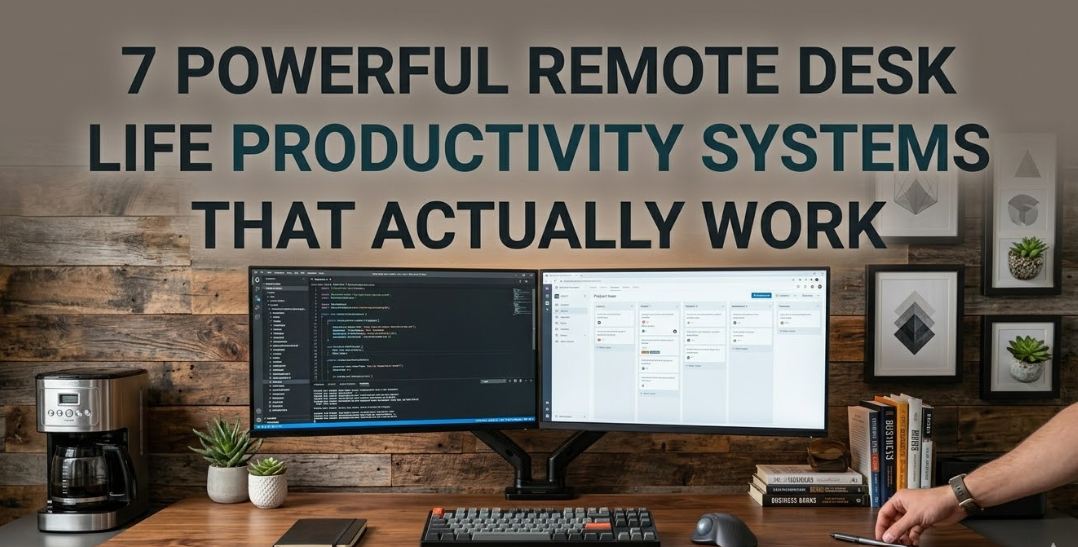
7 Potent Systems for Maintaining Productivity While Working Remotely
Remote work sounds like a fantasy job. No commute. No office dress code. No one stealing your lunch out of the fridge.
But everyone else living the remote desk life knows better: it can be hard to stay productive at home. Distractions are everywhere. It blurs quickly, that line between work and personal life. And without the right mechanism in place, all that happens is your to-do list gets longer and longer while your motivation shortens.
The good news? There are proven productivity systems that remote workers across the globe swear by. Not fluffy advice. Not motivational posters. These are hands-on systems that disrupt the way you do your work.
This piece details 7 of the most powerful ones — how they work, who they’re best for, and how to start using them today.
The Real Reason Remote Desk Life Productivity Is So Hard
Before we delve into the systems, it’s helpful to understand why remote desk life productivity is so hard in the first place. The biggest offenders are home distractions, no structure, and blurred lines between work and rest. Without a commute to mentally “turn on,” your brain doesn’t always receive the signal that it should be working.
And that is precisely what these 7 systems solve. For a deeper look at building habits that stick while working from home, Remote Desk Life is a great resource packed with practical tools and inspiration for the modern remote worker.
System 1: Time Blocking — If You Won’t Schedule It, You Will Lose It
What It Is
Time blocking involves scheduling each task into your calendar for a certain time slot. Remove your to-do list without dates and times: “9 AM to 10 AM — write report. 10 AM to 11 AM — respond to emails.”
It sounds simple. But it fundamentally alters the flow of your day.
Why This Works for Life on a Remote Desk
In the absence of a boss checking in, it’s easy to drift between tasks. Time blocking creates artificial structure. Your calendar becomes your boss.
You, the day before (or morning of), determine what gets done and when exactly. That decision has already been made — so you don’t burn mental calories trying to figure it out in the moment.
How to Start
Pick your top 3 things to do tomorrow. Open your calendar and block each a 60–90 minute slot. Between each of these, insert a buffer block (15 minutes). Guard those blocks like appointments you can’t miss.
Pro tip: Use different colors for your blocks — one color for deep work, another for meetings, a third for admin tasks. A quick look lets you know exactly what kind of day awaits you.
System 2: The Pomodoro Technique — Conquer Procrastination by Working in Blocks of 25 Minutes
The Simple Idea Behind It
Francesco Cirillo developed the Pomodoro Technique in the late 1980s. It divides work into 25-minute focused sessions (known as “Pomodoros”) and ends each session with a 5-minute break. After four of those, you take a longer break for 15–30 minutes.
That’s it. Work for 25 minutes. Rest for 5. Repeat.
Why Remote Workers Love It
Procrastination thrives on open-ended tasks. “Write the entire report” sounds massive. “Do 25 minutes of work on the report” seems manageable.
The Pomodoro Technique reduces the mental barrier to beginning. It also trains your brain to focus in shorter bursts — really useful when you’re faced with home distractions.### Getting Started
Use a simple timer — your phone, a browser extension, or a dedicated Pomodoro app. For those 25 minutes, turn off all notifications. Treat the break like a real break: walk away from your screen.
Track the number of Pomodoros you do each day. Eventually, you’ll know exactly how many you can hit with confidence.
System 3: The MIT Method — Focus on What Matters Most
Most Important Tasks First
MIT stands for Most Important Tasks. The concept is straightforward: every morning, determine the 1–3 things that would make today successful. These are your MITs. Get those done first, not last.
Not your email. Not Slack messages. Not the easy stuff. The important stuff.
Why This Is Different for Remote Workers
Remote desk life is a battleground of low-effort, high-distraction tasks. Replying to direct messages feels like work. But at the end of the day, nothing of substance was achieved.
The MIT approach makes you face what actually shifts the dial. It establishes a habit of doing hard things early in the day when your focus is greatest.
The Rule
Write your MITs the night before or first thing in the morning. Limit your list to 3 or fewer. Start with the hardest one in the morning. Everything else is a bonus.
System 4: The Two-Minute Rule — Get Small Tasks Done Immediately
Where It Comes From
The two-minute rule was first introduced by productivity expert David Allen in his book Getting Things Done. The rule: any task that takes two minutes or less, do it now.
Don’t put it on a list. Don’t schedule it. Just do it.
How It Changes Remote Desk Life
When you work from home, all the little tasks add up quickly. A quick email reply. A file rename. Updating one line in a document. These chores only take 90 seconds each but they can clog your head for hours if you keep “making a note to do that later.”
The two-minute rule zaps that clutter right away.
Where it matters most:
- Responding to short messages
- Booking a meeting
- Paying a quick invoice
- Adding a calendar reminder
- Filing a document
The trick is to be disciplined: only use this for truly small tasks. Don’t use it as an excuse to keep getting sucked into your inbox.
System 5: The Weekly Review — Your Secret Weapon for Long-Term Clarity
Sample Weekly Review Process
During a weekly review — most people favor Friday afternoon or Sunday evening — you sit down for 30–60 minutes and take stock of everything going on across projects. You check what got done, what didn’t, and what’s coming up next week.
It’s part reflection, part planning, part system maintenance.### Why This Is What Remote Workers Skip (And Shouldn’t)
To most people, a weekly review feels unproductive, so they skip it altogether. You’re not doing work — you’re just reviewing work.
But this is precisely why remote workers burn out. In the absence of regular check-ins, tasks slip through the cracks. Projects drift. Priorities get fuzzy. All of that gets taken care of in the weekly review before it becomes a problem.
Consistency matters more than length. A 20-minute weekly review done every week is better than a single 2-hour deep dive done once a month.
System 6: The PARA Method — Organize Everything and Find Anything in Seconds
What PARA Stands For
PARA is a digital organizational system devised by productivity expert Tiago Forte. It stands for:
- Projects — things with a timeline and destination
- Areas — continuing obligations (health, finances, team management)
- Resources — topics you’d like to look at again
- Archive — done or obsolete items
From notes and documents to files and folders in your digital life, everything fits into one of these four categories.### Why Remote Workers Need This
The remote desk life means your computer is your complete office. Your files, notes, projects, and reference material are all in one giant pile of chaos — unless you have a system.
PARA gives everything a home. No more losing 10 minutes looking for that one document. You no longer maintain three separate systems for the same information. Everything has a place.
How to Apply the PARA Method Starting Today
Pick one tool — Notion, Google Drive, Apple Notes, Obsidian — and make four top-level folders named Projects, Areas, Resources, and Archive. Categorize your existing files correctly. From now on, every new item goes into one of these four buckets before anything is saved anywhere.
It takes one focused hour to set it all up. It saves hours of work per week, moving forward.
System 7: Shutdown Rituals — The System That Saves Your Life Outside of Work
The Problem Nobody Talks About
Here’s the remote desk life productivity problem that nobody warns you about: you just never stop working.
The office is always open. Your laptop is always sitting right there. One more email. One more check. Before you know it, it’s 9 PM and your brain is mush.
Without a commute to signal “now work is over,” you need a ritual to do that job.
What a Shutdown Ritual Is
A shutdown ritual is a brief routine you follow at the end of each workday to formally complete your work for the day. It mentally delineates when you are in work mode and when you are in rest mode.
Cal Newport popularized this concept in Deep Work. He wraps up every workday by saying aloud, “Shutdown complete.” That’s it — a verbal cue his brain hears to mark the end.
Build Your Own Shutdown Ritual
Your ritual doesn’t have to be long. 10–15 minutes is plenty. Here’s a simple template:
- Review — Go through your task list and finish up any open tasks
- Capture — Write down anything hanging or incomplete so it is out of your mind
- Plan — Decide your top 3 MITs for the next day
- Close — Physically close your laptop, clean off your desk, or move to another room
- Cue — A small word, phrase, or physical action that says “work is done”
The cue is surprisingly powerful. It lets your nervous system know that it’s safe to unwind.
How These 7 Systems Work in Concert
Each system is powerful alone. But there’s real magic in stacking them.You don’t need to do all 7 from the start. Start with one or two. Build the habit. Then add in the others as your routine settles.
Quick Comparison: Which System Is Best for You?
| System | Best For | Time to Set Up | Difficulty |
|---|---|---|---|
| Time Blocking | Structure seekers | 15 min/day | Easy |
| Pomodoro Technique | Procrastinators | Instant | Very Easy |
| MIT Method | People who do too much | 5 min/day | Easy |
| Two-Minute Rule | Task accumulation problems | Instant | Easy |
| Weekly Review | Long-term clarity | 30–60 min/week | Medium |
| PARA Method | Digital clutter chaos | 1–2 hours setup | Medium |
| Shutdown Ritual | Work-life boundary issues | 10–15 min/day | Easy |

Common Mistakes That Kill Your Productivity in Remote Desk Life
Even with the best system in place, a few habits can eat away at all your progress.
Checking email first thing in the morning puts you into reactive mode before you’ve burned through your most focused hours. Postpone your email window to mid-morning, after you’re done with your first MIT.
Working continuously sounds efficient but kills performance. Your brain needs rest to be able to concentrate. The Pomodoro breaks aren’t optional — they’re the fuel.
Letting notifications run freely is the single biggest enemy of deep work. During focus blocks, disable all notifications not critical to the task at hand. Full stop.
Skipping your weekly review leaves you flying blind. It takes less than an hour and prevents the creeping chaos that unmoors remote workers every week.
Not having a dedicated workspace blurs the psychological boundary between rest and work. Even a corner of a room reserved for work really makes a difference.
FAQs: Remote Desk Life Productivity
Q: Do I have to apply all 7 systems at the same time? No. Focus on one — preferably either Time Blocking or the MIT Method — and layer in others as they become natural. Attempting to change everything at once generally results in burnout.
Q: How long do these systems take to produce results? Even using only one system consistently, most people will see improvement within the first week. It takes 3–4 weeks for deeper changes in productivity habits to solidify.
Q: What if my work is unpredictable and I can’t always keep to a schedule? That’s where flexible systems such as the MIT Method and the Two-Minute Rule come to life. They persist even amid chaotic days because they focus on priorities, not inflexible time slots.
Q: Can I still take advantage of these systems if I have repeated video calls throughout the day? Absolutely. Add your calls as blocks into your time-blocked calendar. Organize your deep work blocks around them. Allow buffer time before and after calls in order to transition cleanly.
Q: Does the Pomodoro Technique work for creative work? Yes — perhaps even more so. Defined focus windows have advantages for creative work in particular, as the brain requires some pressure to produce. Its devotees include plenty of writers, designers, and developers.
Q: How is PARA different from literally just making folders? Regular folder systems are organized by category (work, personal, finance). PARA organizes by action and relevance. Projects are things you are actively working on. Areas are ongoing. Resources are for later. Archive is done. It is this action-based structure that makes files findable fast.
Q: What tools do I need to start? Most of these systems need nothing more than a calendar app, a simple to-do list, and a timer. You don’t need expensive software. Tons of remote workers are running all 7 systems with just Google Calendar and Notion — or even a paper notebook.
Conclusion — Build Your Own System and Take Hold of Your Remote Day
There’s no such thing as remote desk life productivity by chance. It is built, intentionally, one system at a time.
Time blocking gives shape to your day. The Pomodoro Technique provides structure to your focus. The MIT approach forces you to be honest about what matters. The two-minute rule cuts through the noise. The weekly review ensures that you stay on the right path. PARA organizes your digital world. And the shutdown ritual returns life to you.
You are not required to be superhuman. You need a system.
Choose one from this list today. Set it up. Use it for a week. Then go back and add another.
And that’s how the remote desk life goes from chaotic and cluttered to regimented and controlled — one small, steady system at a time.