Meta Description: Best practices of keeping remote workers focused and productive. Read these 9 simple rules to keep your physical and digital workspace healthy every single day.
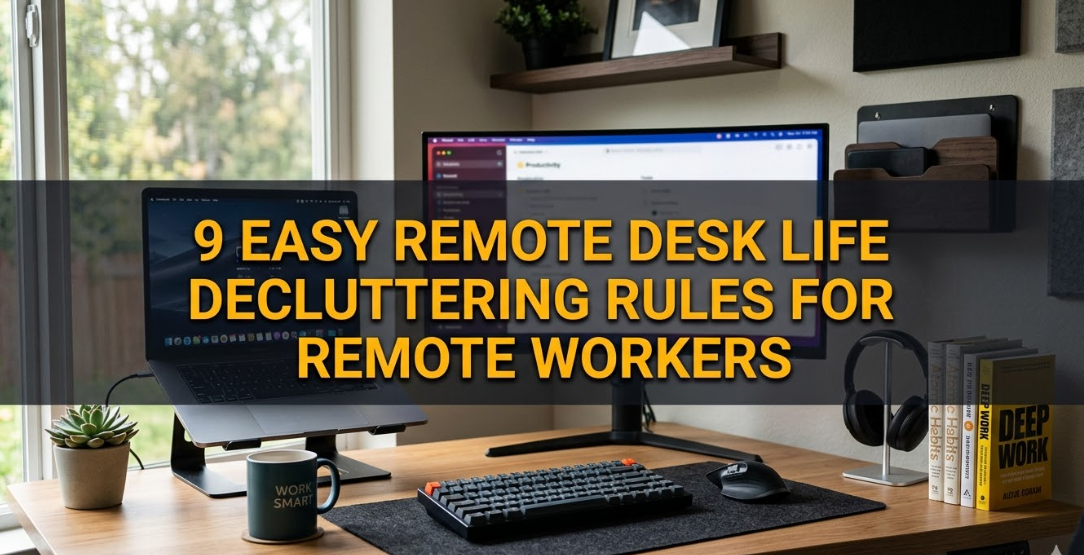
9 Simple Rules to Declutter Your Remote Desk Life for Work from Home Employees
Working from home sounds like a fairytale — no commute, no office politics, no dress code. But here’s a secret no one will tell you: your desk can ruin your concentration without you even realizing it.
A disorganized workspace is not just unsightly. It saps your excitement before you write a single line. Studies repeatedly show that physical clutter adds stress and hampers the brain’s ability to focus. And this is a bigger problem for remote workers, who have an even more blurred line between “home” and “office.”
The good news? You do not require a full home makeover. All you need are a few simple, repeatable rules.
These remote desk life decluttering rules are made for the new remote worker. They’re straightforward, require little time, and have a huge payoff in how calm and in-control you feel on any given day.
Let’s get into it.
The Reasons a Crowded Remote Desk Impacts Your Work More Than You Realize
But before the rules, let’s address the real cost of clutter.
A messy desk can make your brain work harder than necessary. Each object in your field of vision emits a small signal to your brain: process me. That’s brainpower being diverted from your real work.
In a study at the Princeton University Neuroscience Institute, scientists found that visual clutter competes for your attention and limits your capacity to absorb information. Translation: disarray = mental static.
This gets worse for remote workers. You don’t have a separate office to walk away from. Your desk is your workspace, and it’s located in the same spot where you relax, eat, or watch television. When it’s cluttered, there’s no division in your brain between work mode and rest mode.
That’s exhausting.
The remote desk life decluttering rules here fix just that.
Rule 1 — The One-Touch Principle
This simple rule makes all the difference.
The one-touch principle is: whenever you pick something up or receive something, act on it right then and there. Don’t set it down somewhere haphazardly and think, “I’ll take care of that later.”
How it works at your desk:
- Got a piece of paper? File it, do something about it, or chuck it — now.
- Received a digital file? Move it to the right folder at once.
- Done with a pen or sticky note? Put it back in its place.
“Later” is where clutter is born.
Most desks don’t build up that level of mess all at once. They get messy one little thing at a time. A coffee cup here. A random cable there. A notebook opened and left resting on top of your keyboard.
The one-touch rule puts a stop to that pattern.
There’s a bit of mental effort involved at first. But it becomes automatic after a week — like washing a dish immediately after you use it rather than letting a pile build up in the sink.
Quick tip: Keep a small trash can near your desk, as well as a document tray. This removes the question of “where do I put this?” and makes the one-touch rule effortless to implement.
Rule 2 — Do a Digital Zero Inbox Every Morning
Your desk isn’t only the physical surface. For remote workers, your digital desktop matters just as much.
A messy computer desktop — files scattered across the screen, a downloads folder bursting at the seams, a browser with 47 open tabs — is just as anxiety-inducing as physical clutter. It’s probably worse, actually, as you stare at it for eight hours a day.
A digital zero inbox means starting each workday with an unobstructed digital space.
The digital morning refresh (less than 5 minutes):
| Area | Action |
|---|---|
| Desktop | Move files to their folders or delete |
| Downloads | Sort and empty weekly |
| Email inbox | Archive, reply to, or delete anything from yesterday |
| Browser tabs | Close all tabs from yesterday. Start fresh. |
| Notifications | Use Do Not Disturb mode before starting work |
You don’t need to achieve “inbox zero” on email every single day — that’s a different conversation. But before you start work, your visual digital environment should be clean.
This one habit alone can significantly decrease your morning stress in the first week.
Rule 3 — Corral Every Cable on Your Desk
Cables are the biggest contributor to visual chaos on most remote workers’ desks.
A mess of chargers, monitors, USB hubs, headphones, and power bricks looks chaotic to your brain — it registers the entire desk as disorganized, even if everything else is tidy.
Simple cable control steps:
- Label every cable. Mark every wire with small stickers or cable tags that specify what it connects to. You’ll stop pulling out the wrong cord.
- Use cable clips or a cable tray. Stick clips to the back or underside of your desk to keep cables out of sight.
- Go wireless where possible. A wireless mouse and keyboard eliminate two cables at once. A wireless charger removes another.
- Do a cable audit monthly. Any cable that isn’t currently serving a purpose gets unplugged and placed into storage.
The goal is a desk where you can see the surface below your devices. That one visual — a clean desk surface — is deeply calming to the brain.
Rule 4 — Implement the Surface-Only Rule
This rule is focused on what permanently lives on your desk — and the answer should be: very little.
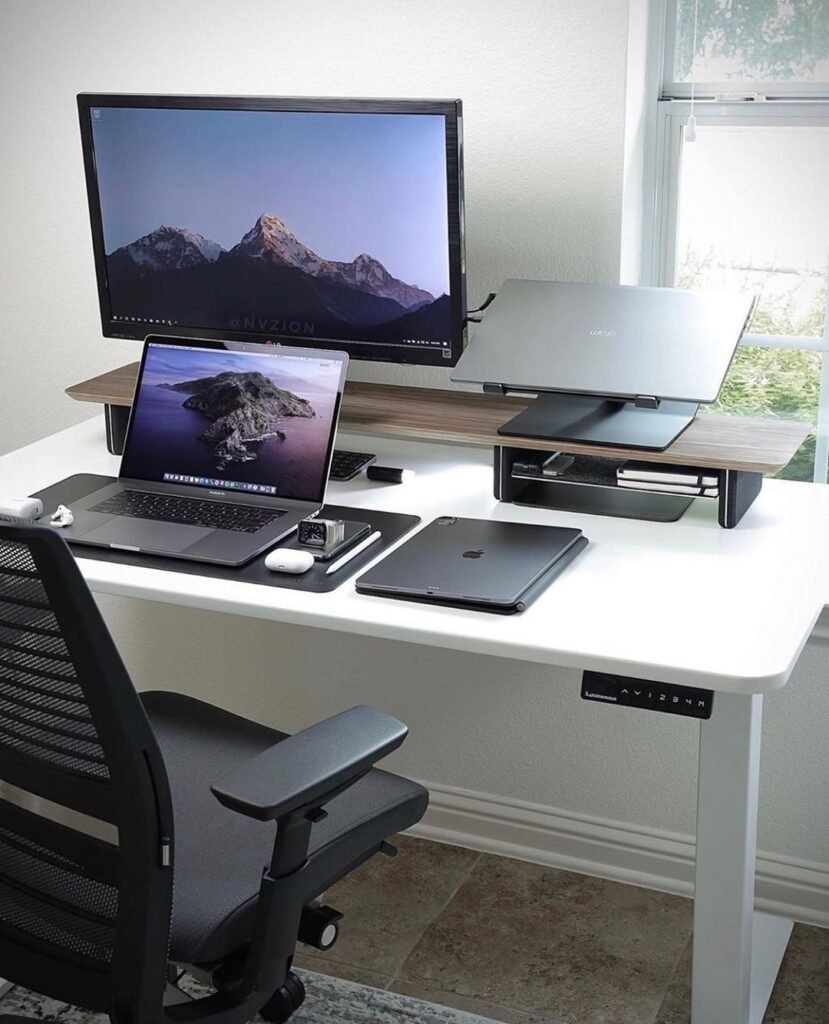
The surface-only rule means that only the items you use every single day earn the right to live on your desk surface. Everything else goes in a drawer, on a shelf, or in a storage box.
What qualifies to stay on your desk:
- Your monitor or laptop
- Keyboard and mouse
- One notebook and one pen (if you handwrite notes)
- A small plant or one personal item (good for mental health — but only one)
- Your water bottle
What should leave your desk:
- Books you reference occasionally
- Extra stationery (backup pens, sticky notes, highlighters)
- Snacks or food items
- Random receipts, mail, or papers
- Old mugs and glasses
Think of your desk surface as prime real estate. Only the most valuable residents get to stay.
This rule is a game changer because it challenges you to be purposeful. Every object must justify its presence. That mental shift — from “I’ll put it here for now” to “does this deserve to be here?” — changes your relationship with your workspace entirely.
Rule 5 — Build a 5-Minute End-of-Day Reset Habit
This is one rule that takes almost no time and pays off every single morning.
Set a reminder for 5 minutes before you finish work each day. Use those five minutes to return your desk to its baseline clean state.
The 5-minute reset checklist:
- Clear any papers or items from the desk surface
- Put pens, notebooks, and stationery back in place
- Empty any cups or glasses
- Close all browser tabs and apps
- Move files from your desktop into proper folders
- Wipe the desk surface with a cloth (30 seconds)
- Adjust your chair and keyboard to the position you want for tomorrow
That’s it.
When you sit down to work the next morning, you walk into a clean, calm environment. There’s no “ugh, where do I even start?” feeling. You just sit down and get to work.
This is one of the most effective remote desk life decluttering rules because it counteracts accumulation. Mess builds over days and weeks. A daily reset means clutter never gains a foothold.
Rule 6 — Set Up a Three-Zone System
This rule brings structure to your desk and the area around it.
The three-zone system divides your workspace into three distinct areas, each with a specific purpose. When everything has a “home,” nothing ends up in the wrong place.
Zone breakdown:
| Zone | Location | What Goes Here |
|---|---|---|
| Active zone | Your desk surface | Items you use every day |
| Reference zone | Nearby drawer or shelf | Items you use a few times a week |
| Storage zone | Cupboard, box, or room shelf | Items used monthly or less |
Movement between zones is key. If anything in your storage zone hasn’t been touched in three months, ask yourself: does it need to exist at all?
This system applies to both physical and digital spaces.
Digitally, your active zone is your desktop and current project folders. Your reference zone is your main documents folder. Your storage zone is the archive folder for completed projects.
When you know exactly where things live, you spend zero mental energy figuring out where to look — or where to put things back.
Rule 7 — Go Paperless First
Paper is the enemy of the modern remote worker’s desk.
Invoices, contracts, notes, sticky reminders, delivery receipts — paper piles up fast and is surprisingly difficult to organize physically. The answer is simple: scan it and bin it.
How to go paperless at your desk:
- Use a free scanning app such as Adobe Scan or Microsoft Lens (just your phone camera). Scan every incoming document immediately.
- Store digital files in clearly named folders:
/Finance/2026/,/Clients/[Name]/,/Personal/Tax/. - Set a rule: no piece of paper lives on your desk for more than 24 hours. After that, it’s either scanned, filed, or binned.
The only paper items that deserve a physical home:
- Legal documents that must be kept as originals (contracts, passports)
- One physical notebook if you prefer writing by hand
Everything else — scanned and gone.
Going paperless also removes one of the biggest sources of “visual noise” on a remote desk. A surface free of loose papers looks and feels dramatically cleaner, even before you’ve done anything else.
Rule 8 — Do a Monthly App and Tool Audit
Digital clutter is invisible, but it still slows you down.
Apps you no longer use, software trials that expired six months ago, browser extensions you installed once and forgot — these things clog your system, create distracting icons and notifications, and make your digital workspace harder to navigate.
The fix is a monthly app audit. It takes about 20 minutes.
Monthly digital audit checklist:
- Desktop apps: Delete anything you haven’t opened in the last 30 days
- Browser extensions: Remove any you haven’t actively used in the past week
- Mobile apps on work phone: Same rule — unused apps go
- Cloud storage: Delete duplicate files, empty the trash
- Bookmarks bar: Keep only 5–7 core tools bookmarked
- Notification settings: Review and mute apps that don’t need to interrupt you
- Subscriptions: Cancel any software subscriptions you’re not actively using
Think of this audit as dusting your digital shelves. You don’t notice the dust building up day to day, but once a month you clear it all out and the space feels fresh again.
Rule 9 — Do a 15-Minute Weekly Desk Review
The first eight rules handle the day-to-day. This final rule zooms out and looks at the bigger picture.
Once a week — Friday afternoon works best for most remote workers — take 15 minutes to review your entire workspace. Not just the surface, but the whole environment.
The weekly review questions:
- Did anything end up in the wrong zone this week?
- Are there items on my desk that I haven’t touched in 7 days?
- Is my cable situation still under control?
- Does my digital desktop need a deeper clean?
- Are there any physical items I no longer need in my workspace at all?
- Did I maintain my 5-minute daily reset this week? If not, why?
This review isn’t about shaming yourself for any clutter that accumulated. It’s about catching small problems before they become big ones.
A desk that gets a 15-minute weekly review stays clean with almost no effort during the rest of the week. It’s the same principle as a weekly grocery shop — small regular actions prevent big, overwhelming problems.

How These 9 Rules Work Together
These remote desk life decluttering rules aren’t meant to exist in isolation. They build on each other.
The one-touch rule (Rule 1) and the 5-minute reset (Rule 5) prevent daily accumulation. The zone system (Rule 6) gives everything a home. The surface-only rule (Rule 4) keeps your visual environment calm. The digital rules (Rules 2 and 8) handle the invisible clutter. And the weekly review (Rule 9) catches anything that slips through.
Together, they form a system — not just a clean desk on one particular day, but a workspace that stays organized over weeks and months with minimal effort.
For more tips on building a productive and organized home office setup, visit Remote Desk Life — a dedicated resource for remote workers who want to work smarter from home.
The Real Benefits Remote Workers Notice
When these rules become habits, remote workers consistently report three key changes:
Better focus. Without visual noise competing for attention, it’s easier to enter a flow state and stay in it longer. Many remote workers say they accomplish more in 4 focused hours at a clean desk than in 8 scattered hours at a messy one.
Less stress at the start of the day. Walking into a tidy workspace — even if it’s just a corner of your bedroom — creates an instant sense of calm and control. That mood carries through the first few hours of work.
Clearer separation between work and rest. A clean and organized workspace makes it easier for your brain to treat that space as a “work space.” This helps with the biggest mental challenge of remote work: switching off at the end of the day.
Common Mistakes to Avoid
Despite the best of intentions, remote workers often fall into a few common traps.
Decluttering once and calling it done. Decluttering is not a one-time event. It’s an ongoing system. These rules only work if they become regular habits.
Trying to do everything in one day. Don’t completely overhaul your entire workspace in one weekend. Pick two or three rules to start with, build those habits first, then layer in the rest.
Ignoring the digital side. Physical decluttering is visible and feels satisfying. Digital decluttering is invisible but equally important. Don’t neglect your computer desktop, downloads folder, or browser tabs.
Perfectionism. Your desk doesn’t need to look like a magazine cover. It needs to be functional and calm. A single plant, a favorite mug, a small photo — personal touches are fine. The goal is an organized desk, not a sterile one.
FAQs About Remote Desk Life Decluttering
How long does it take to see results from these decluttering rules? Most people notice a difference within the first week, especially with the daily 5-minute reset and digital zero inbox habits. The full benefits — improved focus and reduced stress — usually become noticeable within two to three weeks of consistent practice.
Do these remote desk life decluttering rules work for small desks or tiny home office spaces? Absolutely. In fact, these rules are even more important for small spaces. The zone system, surface-only rule, and paperless approach are specifically designed to make the most of a limited workspace.
How many items should live on my desk surface? There’s no perfect number, but a good benchmark is: only the items you touch every single working day. For most people, that’s a laptop or monitor, keyboard, mouse, a drink, and one or two personal items. If you haven’t touched something in three days, it moves to the reference zone.
How do I handle paper that keeps coming to my desk? Set a no-paper-overnight rule. Anything that arrives on your desk in paper form — letters, delivery notes, invoices — gets scanned and filed digitally the same day. A simple phone scanning app makes this a one-minute task.
Can I still personalize my desk if I follow these rules? Yes, and you should. Personal touches — a small plant, a photo, or a meaningful object — support mental well-being and make the workspace feel welcoming. The rules simply ensure that these items are intentional and don’t multiply into clutter.
How do these rules help with work-life balance for remote workers? A clean, purposeful workspace makes it easier for your brain to “switch on” for work and “switch off” at the end of the day. The physical act of doing the 5-minute reset signals the end of the workday, which helps create the psychological separation that many remote workers struggle to maintain.
What if family members or roommates keep adding clutter to my desk? Communication is key. Have a direct, kind, and clear conversation about your workspace boundaries. You can also mark off zones or use small lidded storage boxes to establish obvious “this is my work area” limits. If the desk is shared, decide together on who handles the reset and when.
Conclusion
A disorganized desk is not a character flaw. It’s a system problem — and system problems have system solutions.
These 9 remote desk life decluttering rules accomplish exactly that. They’re practical, fast, and designed for the reality of working from home. You don’t need a bigger desk, a more expensive organizer, or a Pinterest-worthy setup. You need repeatable habits that prevent clutter from forming in the first place.
Start with just two or three rules this week. The one-touch principle, the 5-minute reset, and digital zero inbox are a powerful starting trio. Get comfortable with those, then layer in the rest.
According to research published by the American Psychological Association, a disorganized environment is one of the most commonly overlooked contributors to chronic workplace stress — making your workspace setup more important than most people realize.
Your desk is your launchpad. Keep it clear, and see what you’re capable of.