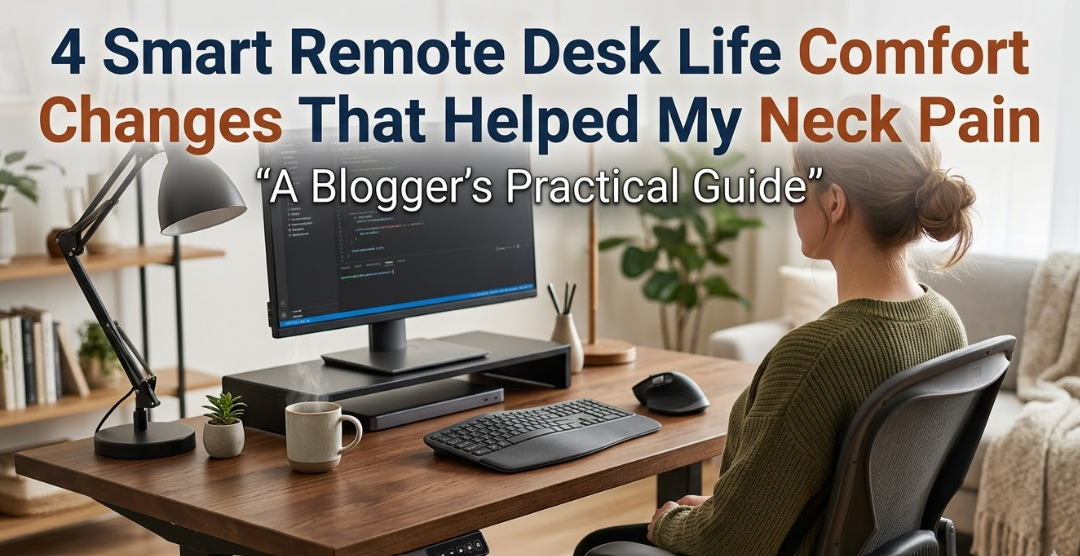
4 Changes To Make Life On A Smart Remote Desk More Comfortable That Helped My Neck Pain
Simple yet effective changes that brought a touch of comfort to my remote desk life and helped my neck pain.
Home working seems like the dream. No commute, no dress code, your coffee the way you want it.
But after several months of working from home, I began waking up with an achy neck each and every morning. By noon my shoulders had started to feel tight. By 3 PM I had a dull headache resting at the base of my skull.
Sound familiar?
I am not a physician, nor a physical therapist. I am just someone who worked at a laptop on a couch too long and paid the price. I researched diligently and implemented some actual changes to my home desk setup, and that low-level neck pain plummeted. For me, the biggest difference came from these four desk life comfort shifts at home.
| 73% | 46% | 2–4 hrs | 6 wks |
|---|---|---|---|
| of remote workers experience musculoskeletal pain | Neck is the most affected area | avg. time in poor posture daily | average posture improvement time |
Remote Work is Ruining Your Neck (and Nobody’s Talking About It)
When you’re working at an office, there is likely an HR team or ergonomics training, or at least a proper chair and desk. At home, most people take the nearest surface and seat. The kitchen table. A sofa cushion. A laptop perched on a pillow.
Your neck must bear the weight of your head — that’s approximately 10 to 12 pounds. When your head tilts even slightly forward, as it does when you look down at a screen, the effective load on your cervical spine increases exponentially. At only 15 degrees forward, your head puts roughly 27 pounds of pressure on your neck. At 60 degrees, it feels like 60 pounds.
This is commonly referred to as “tech neck,” and it is one of the most common complaints among remote workers today.
Why This Matters
Straining your neck forward for 6 to 8 hours a day, five days a week adds up quickly. Over time, it causes muscle fatigue, joint stiffness and sometimes chronic pain that does not resolve by itself.
The Chair Is Not the Only Problem
Most people place the blame on their chair when they have neck pain. But the chair is not usually the only problem. Where your screen lives, how long you stay still at a time, whether your keyboard forces your shoulders up or down — all of these things are just as important.
That’s also why switching to an ergonomic chair alone often does not relieve neck pain. You have to consider your entire configuration as one system.
Change 1 — Monitor Height and Distance
Why raising your screen to eye level changed everything
This was the single biggest change that I made. For more than a year I had been using a laptop flat on my desk. Whenever I glanced at the screen, my head tilted ever so slightly down. Multiply that by thousands of micro-glances a day and you get the picture.
The solution is simple: position your screen at eye level. When you sit upright, the top of the monitor should be level with your eyes. Your eyes fall slightly downward naturally, so you end up looking straight at the center of the screen without bending your neck.
What I Actually Did
Like most people, I didn’t buy an expensive monitor arm straight away. I propped up my laptop on a couple of textbooks instead, which elevated the screen to about eye level. It felt awkward for the first couple of days, and then it all felt entirely natural. My neck stopped hurting by the end of week one.
Later, I purchased a proper adjustable laptop stand for about $25. That made it much easier to dial in the right height. I also bought a standalone wireless keyboard and mouse, so I could type without hunching my shoulders.
| Screen Position | Neck Angle | Estimated Load on Cervical Spine |
|---|---|---|
| Flat laptop on desk | 30–45° forward tilt | 40–49 lbs |
| Slightly raised (10 cm) | 15–20° tilt | 27–32 lbs |
| Eye level (ideal) | 0–5° tilt | 10–12 lbs |
Quick tip: Sit up straight and close your eyes. Open them. Your ideal screen centre is wherever your gaze lands naturally. Adapt your setup to that point.
What About Dual Monitors?
If you’re using two monitors, the one you use most should be directly in front of you at eye level. The second screen should be off to the side. Regularly twisting your head to check a screen positioned far to the left or right is a quick way to develop neck tension on one side.

Change 2 — Switching to a Chair That Provided Lower-Back Support
Lumbar support and seat height
You may be asking yourself what a chair has to do with neck pain. The answer is: everything. Posture is a chain. When your lower back collapses and rounds forward, you slump through your entire spine. Your shoulders round forward. Your head juts out. Your neck takes the strain.
In many cases, fixing your lower back support actually fixes your neck without you ever having to address your neck directly.
What Poor Lumbar Support Does to Your Neck
Slouching causes your pelvis to tip backward. That flattens your lumbar spine and sets off a domino effect upward. Each vertebra above compensates. By the time that compensation reaches your neck, it’s trying to hold a load it was never designed to carry.
I was using dining room chairs that had no lumbar support. They looked fine. They were not fine.
What I Changed About My Chair Setup
I paid $20 for a lumbar support cushion. It fills the gap between your lower back and the chair, aligning your lumbar spine with its natural inward curve — which helps pull your shoulders back and keep your head neutral.
I also adjusted my seat height so that my hips were at approximately 90 degrees or greater. Your feet should rest flat on the floor. Your knees shouldn’t be above your hips. If your desk is too high for a lower chair setting, use a footrest.
Key Checkpoints for Ideal Sitting Posture
| Body Part | Correct Position | Common Mistake |
|---|---|---|
| Head | Ears over shoulders, chin tucked slightly | Head jutting forward |
| Shoulders | Relaxed and back, not shrugged | Raised or rounded forward |
| Lower back | Lumbar curve supported, natural arch | Flattened, slouching |
| Hips | 90° or slightly open angle | Pelvis tilted back |
| Knees | Hip level or slightly lower | Raised above hip level |
| Feet | Flat on floor or footrest | Dangling or tucked under |
Budget-friendly option: You do not need a $500 ergonomic chair to fix this. A rolled-up towel propped at your lower back can work nearly as well as a lumbar cushion. The principle is the same — fill the gap and support the curve.
Change 3 — Introducing Movement Breaks With a Timer
Structured movement breaks every 30–45 minutes
No matter how well you set up your workstation, sitting for too long in one position will cause pain. It is not natural for muscles to remain in the same position for hours. They become fatigued, tight and ultimately painful.
This was the change I resisted hardest. I told myself I was too busy, and I worried that standing up and moving around would break my focus. I was wrong on both counts.
What Happens When You Stay Still for Too Long
When you hold any position for a long time, blood flow to the muscles decreases. Muscles tense as a defensive response. The muscles along the back of your neck and across the upper trapezius — that thick muscle running between your neck and shoulders — are particularly vulnerable since they’re working constantly to hold your head up.
Regular movement breaks allow these muscles to recover. If you’re looking for more guidance on building a sustainable remote work routine, Remote Desk Life covers practical tips for long-term comfort and productivity at home.
How I Established My Movement Practice
I use a simple free timer app on my phone, set to go off every 40 minutes. When it rings, I do one of three things:
- Get up and do five neck rolls — gentle side tilts, ear to shoulder, chin to chest
- Walk to another room and back, even just to get water
- Do a doorway chest stretch for 30 seconds to open my chest and guide my shoulders back
The whole process takes two to three minutes. It does not significantly break my flow. But it does greatly reduce the stiffness that used to build up by midday.
The 20-20-20 Rule for Your Eyes and Neck
You may have heard of the 20-20-20 rule for eye strain — every 20 minutes, look at something 20 feet away for 20 seconds. According to the American Optometric Association, this habit also helps reduce digital eye strain linked to prolonged screen use. It turns out this is also a natural neck break, because looking into the distance involves lifting your gaze and decompressing your neck slightly.
Pairing the eye-rest rule with a quick neck stretch makes the most of your break time.
Note: If you are in a flow state and don’t want to disrupt it, fine — skip one cycle. But never skip two in a row. Stiffness builds rapidly after even 90 minutes of uninterrupted sitting.
Change 4 — Fixing the Position of My Keyboard and Mouse
Keyboard height, angle and mouse positioning
This is the one that caught me off guard. I didn’t realise that the way I was typing was creating neck tension. But it makes sense when you consider the chain: if your keyboard is too high, your shoulders shrug up. Shrugged shoulders pull on your trapezius muscles. Those muscles run right up into your neck. Pain follows.
Where Your Keyboard Actually Belongs
Your keyboard should be at a height where your elbows are at about 90 degrees — meaning your forearms are parallel to the floor, or angled ever so slightly downward. Your shoulders should be completely relaxed, not raised even a millimetre.
If your desk is too tall for this, a keyboard tray that mounts underneath will help. They are not expensive and they make a real difference. If your desk is height-adjustable, lowering it a few inches can accomplish the same thing.
The Mouse Problem Most People Ignore
When your mouse is out of reach — pushed to the side or toward the back of the desk — you end up reaching and stretching your arm repeatedly throughout the day. That constant reaching creates tension in the shoulder and, eventually, the neck.
Keep your mouse close to your keyboard and on the same surface level. If you develop wrist or shoulder fatigue, consider a vertical mouse — they reduce forearm rotation and may relieve overall upper-body strain.
| Setup Issue | How It Affects Your Neck | Simple Fix |
|---|---|---|
| Keyboard too high | Shoulders shrug and trap muscles tighten | Lower desk or add keyboard tray |
| Keyboard angled steeply upward | Wrists extend and shoulders tense | Keep keyboard flat or with a slight negative tilt |
| Mouse positioned too far away | Arm reaches; shoulder elevates | Bring mouse directly beside keyboard |
| Typing with wrists resting firmly | Nerve compression and upper arm tension | Hover the wrists slightly while typing |
A Note on Laptop Keyboards in Particular
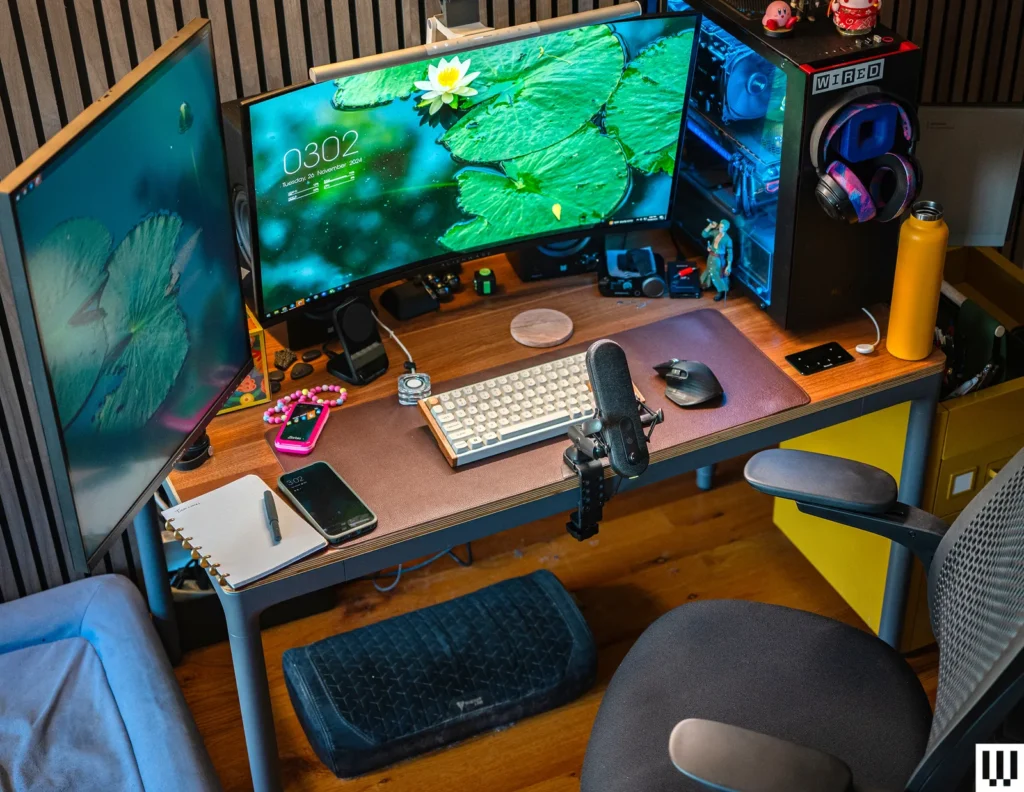
If you use a stand to raise your laptop screen to eye level (Change 1), you can no longer comfortably use the built-in keyboard. That is exactly why a separate external keyboard and mouse are so important. This is arguably the single best $30–$40 combo investment you can make for your home setup. The screen goes up. The keyboard stays at elbow height. Both your neck and shoulders benefit.
Bringing It All Together — A Basic Comfort Checklist for Remote Work
| Change | What to Do | Approx. Cost | Difficulty |
|---|---|---|---|
| 1. Screen at eye level | Use a stand, stack books or raise monitor | $0–$30 | Very easy |
| 2. Lumbar support | Add a cushion, raise seat height, use footrest | $0–$25 | Easy |
| 3. Movement breaks | Timer every 40 min, 2–3 min stretch or walk | Free | Habit-forming, not hard |
| 4. Keyboard and mouse | External keyboard at elbow height, mouse close | $25–$50 | Easy |
If you feel overwhelmed, start here: Get your screen to eye level. If you have books or a box nearby, it’s free, and the change is nearly instant.
How Long Will It Take to See a Difference?
This is the question everyone wants answered. The honest answer is: it depends on how long your pain has been accumulating.
For me, neck stiffness reduced substantially within about a week of making all four changes. The morning soreness had mostly disappeared within three to four weeks. Others I know experienced even faster improvement.
If you’ve had the pain for months or years, or if you experience numbness, tingling or pain radiating down your arm, please do see a doctor or physiotherapist. Ergonomic changes can help prevent and reduce strain, but they should not replace a medical evaluation if something more serious is going on.
Frequently Asked Questions
How do I know if my desk is set at the right height?
Sit in your chair with your feet flat on the floor and your back supported. When your forearms rest on the desk, your elbows should be at approximately 90 degrees. If you have to raise your shoulders to type, your desk is too high. If you find yourself hunching down, your keyboard is too low or your chair needs adjusting.
Is a standing desk good for neck pain?
It can be, if you alternate between sitting and standing rather than standing all day. Standing for hours at a stretch brings its own problems. A sit-stand desk lets you change positions throughout the day, reducing the static load on your muscles. The same rules for screen height and keyboard position apply whether you are sitting or standing.
Are ergonomic chairs worth the investment?
A good ergonomic chair can help, but it isn’t always necessary. Lumbar support and adjustable seat height are the key factors. A $20 lumbar cushion on an ordinary chair can be just as effective as a $300 chair if used correctly. If you sit for long hours and have chronic pain, spending more on a better chair is reasonable — but it won’t solve everything on its own.
What stretches relieve neck pain from sitting?
Some of the most effective: chin tucks (gently pull your chin straight back while looking forward), ear-to-shoulder stretches (slowly tilt your head sideways and hold), and chest openers (clasp your hands behind your back and open your chest). Neck rolls can also help. Hold each stretch for 20 to 30 seconds and breathe normally. Do not push into any position that causes sharp pain.
Does working from a couch or bed cause neck soreness?
Yes, very often. Soft surfaces make it nearly impossible to maintain good posture. Your hips sag, your spine rounds and your neck tilts forward. Brief periods are unlikely to cause lasting damage, but working this way for hours each day is a fast route to chronic neck and back pain. If you occasionally have to work from a couch, try placing a pillow behind your lower back and raising the screen as high as you can.
Is neck pain from remote working reversible?
In most cases, yes. Neck pain that is muscular and postural in nature responds well to ergonomic changes and regular movement. The earlier you make changes, the faster the recovery. Chronic cases that have built up over months may take longer to clear. If pain persists for six to eight weeks despite consistent changes to your setup, it may be time to speak with a healthcare provider.
Wrapping Up
Making remote desk life more comfortable doesn’t have to be complicated or expensive. The four changes that made the biggest difference for my neck pain were: raising my screen to eye level, adding lumbar support and adjusting my seat height, introducing regular movement breaks, and repositioning my keyboard and mouse to reduce shoulder tension.
None of them cost more than $50. All of them were straightforward to put into practice. And together, they effectively resolved the neck pain that had been bothering me for months.
The ideal time to set up your home working environment correctly was when you first started. The next best time is today.
Make one change and notice the difference, then implement another. Your neck will thank you.