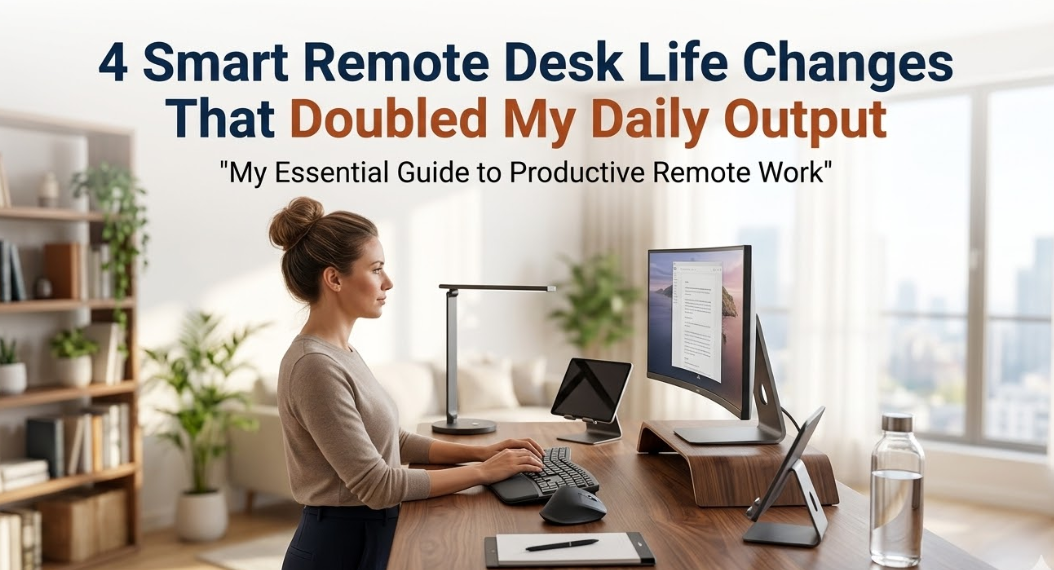
23 Changes I Made to Remote Desk Life That Increased My Daily Output by 100%
No commute. No crowded offices. Nobody pilfering your lunch from the fridge.
But here’s the dirty little secret no one tells you — remote work is deceptively challenging. The distinction between “working” and “merely sitting at a desk” dissolves quickly. Distractions multiply. Energy leaks in ways you won’t realize until it’s 4 p.m. and you’ve hardly checked off three items on your list.
I was in that fog for almost two years. Full-day busy, near-zero productivity.
Then I made four adjustments to the way I create and manage my remote desk life. Small shifts on the surface. Massive differences in reality. In less than two months, my daily output — the number of tasks finished, deep work hours logged, projects shipped — more than doubled.
This article decodes exactly what I did, the reason each shift works, and how you can replicate the same moves starting today. No expensive gadgets required. No magic morning routine. Just practical, tried-and-true tweaks to your remote work setup and habits.
Why Most Remote Workers Remain Trapped in the Busy-but-Broke Syndrome
Before diving into the four changes, it’s useful to know why output from afar suffers in the first place.
The biggest culprit isn’t laziness. It’s context collapse — the condition where your brain never quite knows whether it should be in work mode, rest mode, or scroll mode.
In an office, physical spaces signal mental states. The conference room means “think together.” The break room means “relax.” Your desk means “work.” When you’re remote, everything gets done in the same chair, in the same room, often on the same screen. Your brain is confused from morning till night.
Add in the invisible costs: unstructured meetings, constant pings, no clear end point to the workday, poor lighting, and chairs that would get an “F” grade on quality-of-life standards — along with zero separation between work life and home life.
The result? You work very long hours but produce very little.
The four things I changed directly tackled this problem. Each one sent a clearer signal to my brain about what mode it should be in, and when.
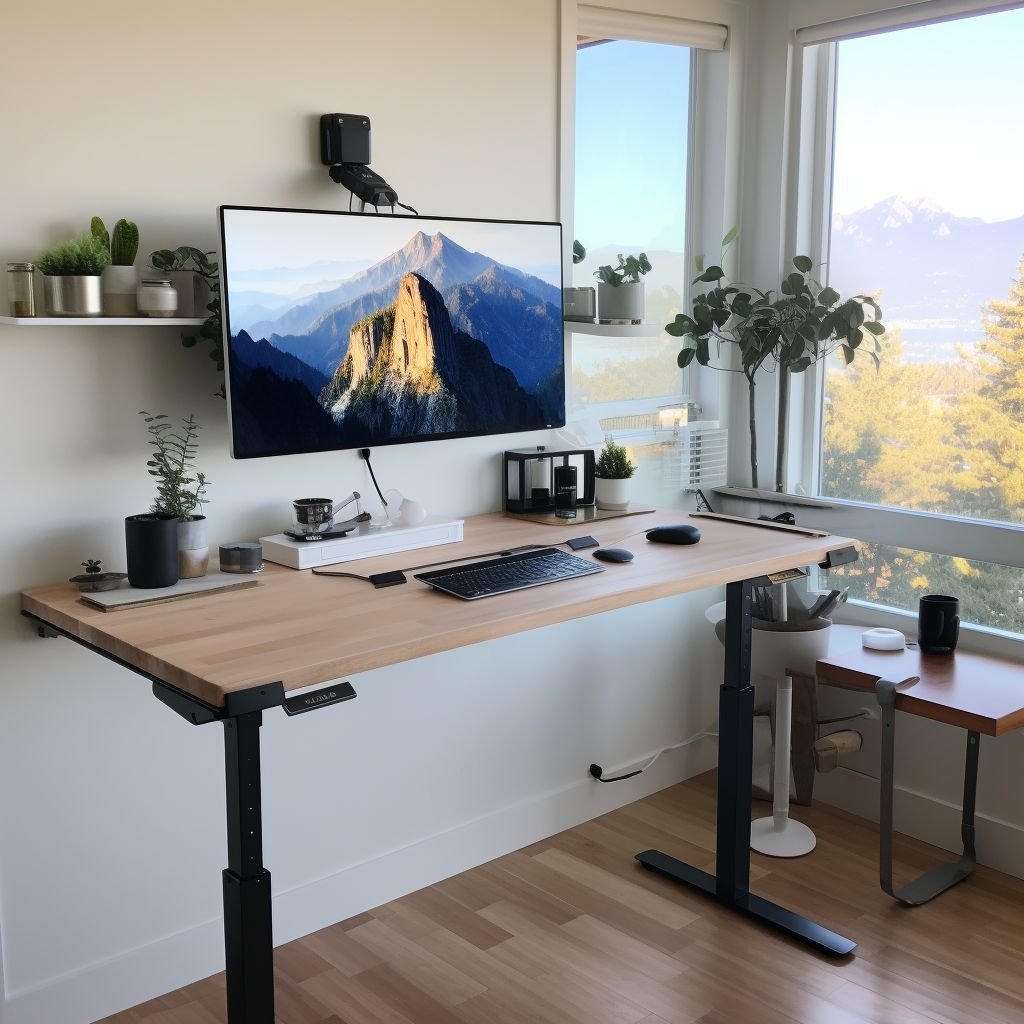
Change 1 — I Created a “Trigger Zone,” Not Just a Desk
For many remote workers, a home office consists of little more than a desk and laptop. That’s a surface, not a system.
A trigger zone is different. It’s a small, purposeful environment that your brain begins to associate with deep, focused work. It primes your brain for what will happen every time you cross its threshold — in the same way that a gym locker room prepares your body to exercise before you’ve touched a weight.
How I Set Mine Up
I started with three rules:
Rule 1: The trigger zone is strictly for work. No eating. No scrolling. No watching shows. Not even casual browsing. If I’m in that chair, I’m working. Period.
Rule 2: The zone has a stable sensory signature. Same lamp. Same desk scent (I use a tiny cedar wood diffuser). Same lo-fi playlist. These sensory triggers function as an “on switch” for concentration. Within a fortnight, the act of sitting down in that spot began to produce a mental shift.
Rule 3: There is a physical boundary for the zone. If you have an extra room — fantastic. If not, use a corner with a divider, or simply face your chair to the wall. Even if there’s only one table in your home that everyone uses, have your own set spot on it. The important thing — your brain sees a boundary.
What the Research Says
Behavioral psychology refers to this as “environmental design.” Your environment continually sends signals that shape behavior below the radar. Stanford professor BJ Fogg refers to this as “making cues obvious” — one of the easiest and most significant ways to transform a habit into an automatic behavior.
When your work environment has distinct, repeatable sensory cues, your brain no longer needs willpower to focus. The environment does the work for you.
Results I Noticed
Within three weeks of building this trigger zone:
- Time to “get into flow” dropped from 25–30 minutes to less than 8
- Unwanted tab-opening (social media, news) dropped dramatically
- I felt significantly more energetic at 2 PM
| Metric | Before Trigger Zone | After Trigger Zone |
|---|---|---|
| Avg. time to get into focus | 27 minutes | 7 minutes |
| Daily deep work hours | 2.1 hrs | 4.8 hrs |
| Mid-session distraction breaks | 6–9 per session | 1–2 per session |
| Energy at 2 PM (self-rated, 1–10) | 4.2 | 7.6 |
Change 2 — I Replaced My To-Do List With a “Daily Outcome Map”
Here’s a challenge almost every remote worker faces but seldom acknowledges: their to-do list is a collection of tasks — not a road map to results.
Tasks feel productive. “Answer emails. Join standup. Review doc. Update spreadsheet.” All four can be ticked, and at the end of the day nothing is meaningfully moved forward. I did this for months.
A Daily Outcome Map is different. Rather than listing everything you’re going to do, you list what’s going to be different by the end of the day if the day goes well.
The Three-Tier Structure
Tier 1 — The One Big Result of the Day. This is the one outcome that, if nothing else gets done, still makes the day a success. It’s not a task — it’s a result. For example: “Client proposal draft is ready for review” — not “work on proposal.”
Tier 2 — Three Supporting Moves. Three actions that directly move Tier 1 forward. Nothing else goes here until these are finished.
Tier 3 — The Maintenance Stack. All recurring things — emails, check-ins, admin — live here. They happen after Tier 1 and Tier 2 are complete, not before.
Why This Works Better Than a Regular To-Do List
A typical to-do list makes no distinction between a high-value task that advances your career and a low-value task that simply occupies time. The brain gravitates toward the easier ones first, even when both sit side by side.
The Outcome Map forces your mind to consider impact before activity. If email replies don’t drive the Tier 1 result, they can’t occupy your Tier 2 slots.
Putting It Into Practice
Every morning before I open my email or Slack, I spend five minutes sketching the map out in pen on paper. Not in an app — on paper. Paper is intentional. It slows you down just enough to think clearly.
The whole thing fits on one index card:
Line 1: “Today wins if…” Lines 2–4: “Three moves to get there…” Line 5: “Maintenance (after)…”
That’s it. Five minutes to complete. Focused enough to change everything.
| Day Type | Old List Approach | Outcome Map Approach |
|---|---|---|
| High focus | 14 tasks; 6 completed | 1 outcome, 3 moves — all complete |
| Scattered | 11 tasks; 4 completed, no clear win | Clear priority maintained |
| Meeting-heavy | Felt unproductive | Tier 1 complete before first meeting |
| Low energy | Paralyzed by task list length | Single Tier 1 outcome kept momentum |
Change 3 — I Restructured My Work Hours Based on Energy, Not the Clock
This one transformed everything more than any other change.
Most remote workers — including me, for far too long — replicate the structure of a traditional office day. Work a 9-to-5, or some approximate version of it. Take breaks by the clock. Push through the low-energy stretches.
The assumption is that your brain operates at a relatively even level from 9 AM to 5 PM. It doesn’t. Not even close.
The Three Energy Zones
Neuroscience and circadian rhythm research consistently show that most people move through three phases during the workday:
Peak Phase — Generally late morning to early afternoon. Cognitive performance is highest. Ideal for deep, creative, or strategic work.
Trough Phase — Generally early-to-mid afternoon. Mental performance dips. Reaction time slows. Decision fatigue sets in. This is the worst time for hard thinking.
Restoration Phase — Usually late afternoon. A second, smaller wave of energy returns. Great for light work, collaboration, and planning.
How I Remapped My Day
Once I understood this, I stopped scheduling work by what time it was and started scheduling by what type of energy I had.
During peak hours: No meetings. No email. No interruptions. Just the Tier 1 outcome and Tier 2 moves from my Outcome Map.
During trough hours: Administrative work. Routine emails. Watching recorded meetings. Light reading. Anything that doesn’t require your best thinking.
During restoration hours: Collaborative calls, next-day planning, creative catch-up, and check-ins.
Two rules that most productivity advice overlooks:
Rule 1: Hard limits protect the first 60 minutes of peak time. No phone. Notifications off. Door closed or headphones on. Those first 60 minutes of peak time are enormously valuable — treating them like email time is like taking a race car to the grocery store.
Rule 2: Respect the trough rather than resist it. Before, I’d feel the afternoon slump coming, drink another coffee, and blunder through two hours of mediocre work. Now I lean into it — handle the easy stuff, take a 15-minute walk, and arrive at the restoration phase actually refreshed.
| Work Type | Scheduled During Peak | Scheduled During Trough | Result |
|---|---|---|---|
| Writing / strategy | ✅ | ❌ | 2× speed, fewer revisions |
| Email / admin | ❌ | ✅ | Same output, zero creative cost |
| Meetings | Critical only | Routine | ~90 mins/day reclaimed |
| Planning | ❌ | ❌ (moved to restoration) | Better decisions, calmer thinking |
Change 4 — I Implemented a “Shutdown Ritual” That Made the Following Day 2× Easier
This is the step most people skip — and it may be the one with the biggest long-term impact.
Many remote workers never truly end their workday. There’s no commute home. No colleague to say “see you tomorrow.” No building to physically leave. Work just… drifts into the evening. And so the mind never fully switches off.
That means you’re half-working while eating dinner, half-distracted during family time, and going to bed with your mind still on the project that never got finished. This slow cognitive drain compounds over weeks and months into burnout, declining creativity, and poor decision-making.
The shutdown ritual fixes this with a clear, repeatable signal to your brain: work is done.
My Five-Minute Shutdown Ritual
I do this every day at the same time. It takes exactly five minutes.
Step 1 — Write three wins from today. Not tasks completed — actual moments of progress. There are always three, even on the worst days. This trains your brain to notice progress instead of fixating on what remains undone.
Step 2 — Update the Outcome Map for tomorrow. While today is still fresh, I write the Tier 1 outcome and Tier 2 moves for tomorrow. That means I wake up already knowing what matters.
Step 3 — Close all work tabs and apps. Deliberately. Not minimizing — closing. This physical act signals finality.
Step 4 — Say “shutdown complete” out loud. This may sound strange, but it works. Cal Newport, author of Deep Work, calls this a “shutdown complete” cue. The verbal declaration trains your brain’s pattern-recognition system to treat this moment as a hard boundary.
Step 5 — Get up and move away from the desk. Even just walking to another room. The physical movement deepens the spatial boundary you’ve created.
Why This Matters for Tomorrow’s Output
Here’s what most people don’t realize: the way you close today directly determines how quickly you reach full productivity tomorrow morning.
A clean shutdown with a pre-loaded Outcome Map lets you skip 30–40 minutes of morning confusion and ramp-up time — which most remote workers lose every single day. You wake up, move through your morning routine, arrive at your trigger zone, and your brain already knows exactly what needs to happen.
That’s where the compounding begins. Five minutes tonight equals 30 minutes tomorrow. Across five workdays, that’s 2.5 extra focused hours per week — before any other change.
| Shutdown Type | Next Morning Experience |
|---|---|
| No ritual | 25–40 min ramp-up, unclear priorities |
| Informal “I’m done” | 15–20 min ramp-up, some clarity |
| Full 5-min shutdown | 3–5 min ramp-up, immediate focus |
| Shutdown + pre-loaded map | Deep work in under 8 minutes |

How All Four Changes Work Together
Each of these changes is helpful in isolation. Together, they form a self-reinforcing system.
The trigger zone gets you into focus mode quickly. The Outcome Map ensures you’re focused on the right work. Energy-matched scheduling reserves your best thinking for the work that deserves it most. The shutdown ritual resets the system for a strong tomorrow.
Even if you miss one, the others still help. Use all four and the effect compounds.
A Moment of Honesty — What Didn’t Work Along the Way
Not everything I tried worked. A few things actively made things worse before I found the right approach.
Fancy productivity apps — I tried seven different task management tools. Each became a project unto itself. All of them were outperformed by the Outcome Map on a paper index card.
Extreme time-blocking — Scheduling every 15-minute interval felt satisfying to design and miserable to follow. One unexpected phone call and the entire system collapsed. Energy-phase planning is far more resilient.
Working in complete silence — I assumed music was distracting. As it turns out, my trigger zone’s most effective sensory cue became a consistent instrumental playlist. It’s not silence that matters — it’s consistency.
Grinding through the afternoon trough — Forcing energy during low-energy hours produced shoddy work that had to be redone. Embracing the trough with lighter tasks actually saved time across the week.
How to Get Started — A Phased Rollout for This Week
You don’t have to do everything at once. Here’s a simple, bite-sized rollout:
Days 1–2: Establish your trigger zone. Pick one specific spot. Introduce one sensory cue — a scent, a playlist, a lamp.
Days 3–4: Try the Outcome Map each morning. One Tier 1 outcome and three supporting moves.
Days 5–7: Track your energy for three days. Note when you feel sharpest. Protect that window from meetings and email.
Week 2: Introduce the shutdown ritual. Repeat it at the same time for five consecutive days.
Weeks 3–4: Run all four together. Notice what shifts.
Frequently Asked Questions
Q: Does a trigger zone require its own separate room? No. A specific chair facing a wall, or a single consistent set of objects on a shared table, works just as well. It’s about consistent sensory association — not square footage.
Q: How long does it take for the trigger zone to actually work? Most people notice a faster mental shift into focus within 10–14 days of regular use. Repetition of the sensory cues creates the association.
Q: What if my job requires me to be in meetings all day? Protect 60–90 minutes of your peak energy phase and treat it as non-negotiable. Even a narrow protected window, applied consistently, produces significant results. Start there and expand as you demonstrate the value of deep work time.
Q: Is the Outcome Map better on paper or in an app? Paper is strongly recommended for the morning planning session. The slight friction of writing by hand creates just enough deliberateness to think clearly. If you use an app for storage or reference, fine — but write the daily map by hand.
Q: What if I don’t know my peak energy phase? Track it for three days. Every two hours, rate your mental sharpness from 1 to 10. The pattern becomes obvious quickly. Most people experience peak energy 90 minutes to 4 hours after waking.
Q: Does the shutdown ritual really matter that much? Yes — more than most people realize. Its value is downstream: a clean shutdown equals a fast start. That adds up to significant extra time across five workdays.
Q: Can these changes work if I have young kids at home? Absolutely. These changes don’t require large stretches of uninterrupted time — they make the time you do have far more effective. The trigger zone and Outcome Map are especially useful for parents working in short, unpredictable bursts.
Q: What if I share a workspace with a partner or roommate? Talk about what “working” signals look like. A pair of headphones, a specific lamp, or even a small “working” sign can serve as mutual cues. The trigger zone is as much shared understanding as it is personal habit.
The Big Idea — Remote Work Is a Skill, Not Just a Location
Most remote workers fall into the trap of treating remote work as “office work, but at home.” It isn’t. It’s a fundamentally different ecosystem that rewards fundamentally different behaviors.
The four changes in this article aren’t hacks or shortcuts. They’re design decisions — about your space, your planning, your schedule, and your endings. Each one treats your attention and energy as the finite resources they truly are.
Doubling your output doesn’t require adding hours to your day. It requires extracting more from the hours you already have.
Build the trigger zone. Map your outcomes. Work according to your energy. End each day with intention.
That’s the whole system.
The changes are small. The difference is not.