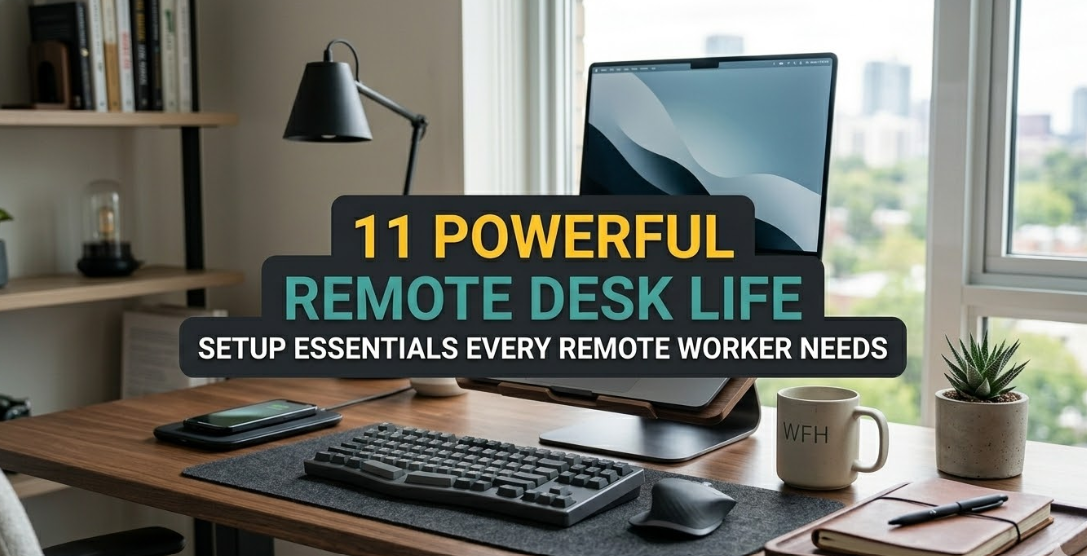
11 Powerful Remote Desk Life Setup Essentials Every Remote Worker Needs
Working remotely sounds like a dream until you spend eight hours hunched over a laptop on the kitchen table and your neck feels like it’s been through a wrestling match. I’ve been doing this full-time since 2019, bouncing between client calls, deep-focus coding sessions, and the occasional mid-afternoon slump where I question every life choice that led me here. The turning point wasn’t a fancy promotion or a new job title. It was the day I finally stopped treating my workspace like an afterthought and started building it like the command center it actually is. That shift didn’t happen overnight. It took months of sore shoulders, blurry eyes, and productivity dips that made me wonder if remote life was even worth it. But once I nailed these eleven essentials, everything changed. My output went up, my energy stayed steady through the afternoon, and I stopped dreading the next Zoom call because my setup actually supported me instead of fighting me.
The crazy part is most people think a good remote desk means slapping a monitor on any old table and calling it a day. Wrong. The real power comes from layering small, intentional upgrades that work together. These aren’t flashy gadgets you show off on Instagram. They’re the quiet heroes that keep your body from breaking down and your mind from wandering. I’ve tested cheap versions, splurged on premium ones, and even tried the “minimalist” route that left me regretting it by week two. What follows isn’t a shopping list of brand names you have to buy tomorrow. It’s a battle-tested blueprint that works whether you’re on a tight budget in a small apartment or have room to go all-out. I’ll walk you through why each piece matters, what to watch out for when choosing, and the little tweaks that made the biggest difference for me. If you’re reading this and your back already hurts just thinking about your current chair, keep going. By the end, you’ll know exactly where to start upgrading without blowing your entire paycheck.
Let’s start with the foundation everything else rests on.
The first essential is an ergonomic office chair that actually supports your body instead of punishing it. I used to think any chair with wheels was fine. Then I spent three months in a $40 folding number from the local market and woke up every morning with a stiff lower back that took until lunch to loosen up. An ergonomic chair changes that equation completely. The key features aren’t fancy names or leather—they’re the adjustable lumbar support that curves with your spine, armrests you can move up and down so your shoulders stay relaxed, and a seat depth that lets your thighs rest flat without cutting off circulation behind your knees. I finally landed on a mesh-back model after trying three different ones because the breathable fabric kept me cool even during humid summer days when the AC struggled.
What most beginners miss is the adjustment process itself. You don’t just sit and hope for the best. Feet flat on the floor, knees at ninety degrees, hips slightly higher than knees, and that lumbar curve filling the natural arch in your lower back. Once I locked those settings in, the difference in focus was ridiculous. No more shifting every ten minutes or standing up just to stretch. Studies I’ve read over the years back this up—people using proper ergonomic seating report twenty to thirty percent less discomfort after six months. But here’s the real talk: you don’t need to drop a thousand dollars on the big-name brands everyone raves about. I started with a mid-range option around two hundred bucks that had all the levers and knobs I needed. The secret was spending time in the store actually sitting in it for fifteen minutes, not just poking the cushion. If online shopping is your only route, read the return policy like it’s a contract because comfort is personal. Some chairs feel great in photos and torture your tailbone after an hour. Mine now has a little memory-foam add-on I bought separately for the seat, and I swear it turned a good chair into a great one. Pair it with the right desk height later and you’ll wonder how you ever survived without it.
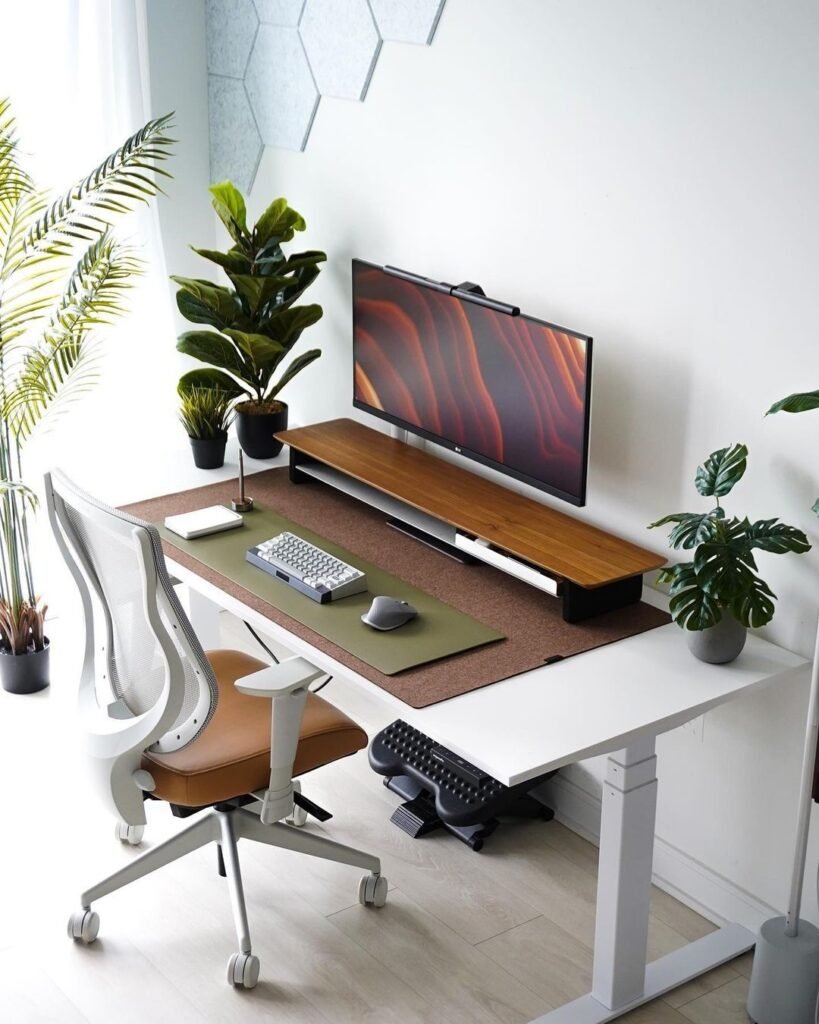
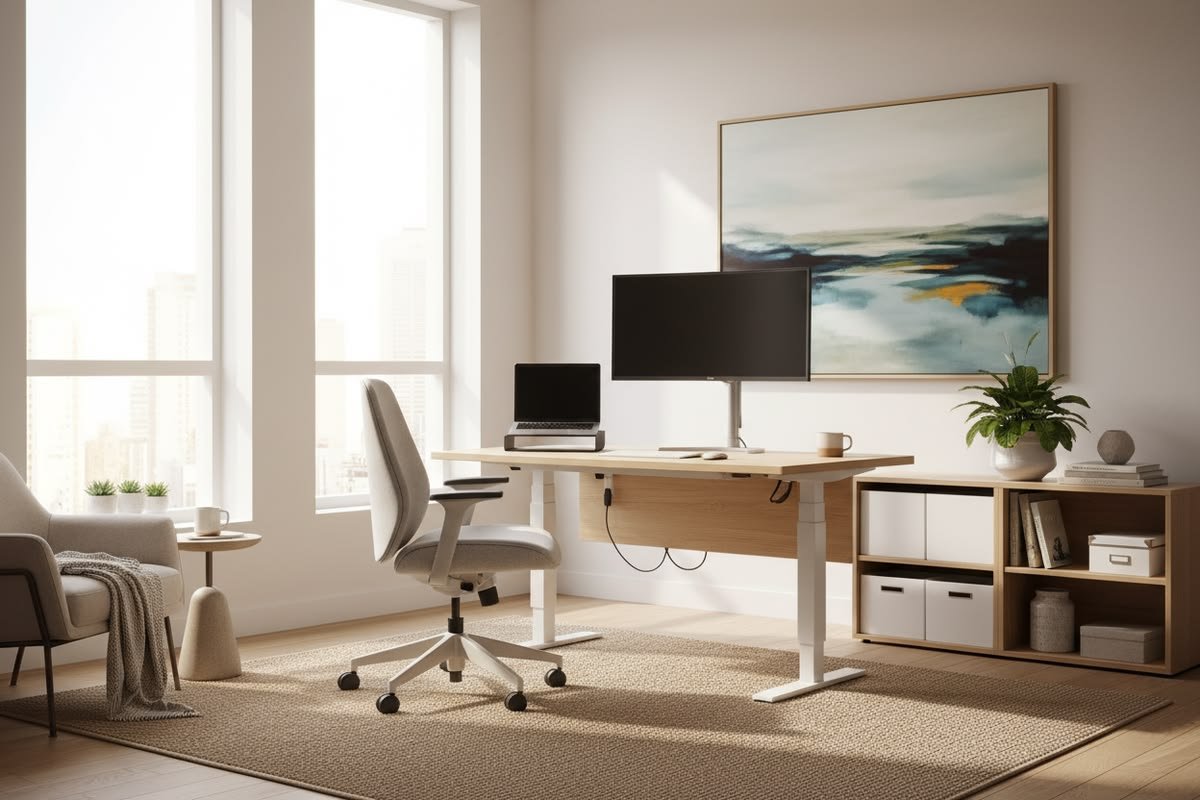
Next comes the height-adjustable standing desk because sitting all day is slowly killing us even if we don’t feel it yet. I resisted this one for ages. “Standing desks are for influencers,” I told myself while my legs went numb by three p.m. Then a friend lent me her old one for a week and I never gave it back. The magic isn’t standing the entire day—that leads to its own problems like swollen ankles. It’s the ability to switch positions every thirty to ninety minutes. My model goes from twenty-eight inches sitting to forty-eight standing with a simple button press. Electric ones are smoother than the crank versions I tried first, but even a manual lift works if you’re on a budget. The surface size matters too. I went with a sixty-inch wide top so I could spread out two monitors, a notebook, and still have room for coffee without knocking it over.
What surprised me most was how much better my circulation felt after just two days of alternating. My afternoon energy crashes almost disappeared because blood wasn’t pooling in my legs. I added a cheap anti-fatigue mat underneath for the standing periods—those gel-filled ones that look like yoga mats but save your feet from concrete-like pain. If you’re worried about the cost, start with a converter that sits on your current desk instead of replacing everything. Mine cost under a hundred and let me test the waters before committing. The only downside I found was the noise on cheaper motors, but I solved that by scheduling my stand-up blocks during solo work time rather than calls. Over months I noticed my posture improved dramatically because the option to move kept me from locking into one bad angle for hours. If you’ve been fighting the afternoon fog, this single upgrade might be the one that finally clears it.
The third essential is a proper monitor setup—either dual screens or one big ultrawide because squinting at a laptop lid is no way to live. I started remote work staring at a thirteen-inch screen and my eyes were wrecked by dinner time every single day. Switching to a twenty-seven-inch monitor felt like upgrading from a flip phone to a modern smartphone. The real power move, though, was adding a second identical screen. Now I keep email and Slack on the left, my main project on the right, and reference docs floating wherever I need them. The difference in context switching is night and day. No more alt-tabbing every thirty seconds and losing my train of thought.
Resolution and refresh rate matter more than most people admit. I went with 1440p on both because 4K was overkill for my budget and actually made text too small without scaling headaches. The bezels are thin enough that the seam barely registers when I’m working. Mounting them on adjustable arms freed up desk real estate and let me angle them exactly at eye level—another posture win I didn’t expect. If dual monitors feel like too much commitment, an ultrawide thirty-four-inch curved screen can do almost the same job in one piece. I tried both routes and honestly prefer the dual setup for flexibility. The only mistake I made early on was placing them too far back. Now they sit about an arm’s length away so I’m not craning my neck forward. Blue-light filters on the monitors themselves plus the software ones on my computer keep the eye strain at bay during late-night sessions. Once this piece clicked into place with the chair and desk height, my whole upper body alignment improved and the headaches that used to show up like clockwork simply stopped.
Fourth on the list is an ergonomic keyboard because your wrists will thank you every single day you use it. I typed on a flat laptop keyboard for years and paid for it with tingling fingers that woke me up at night. The split design and slight tenting angle of a proper ergonomic board keep your hands in a more natural position instead of forcing them outward. I chose a mechanical one with brown switches because the tactile feedback helps me stay in flow without the loud click of blues that would annoy anyone sharing the house. The palm rest is built-in and padded just enough—not so squishy that it bottoms out.
What I love most is the wireless freedom. No cable snaking across the desk when I want to lean back or stand. Battery life is months on a charge, which is huge for someone who hates hunting for cables. If you’re on a tighter budget, even a basic split keyboard without mechanical switches still beats a standard flat one by miles. The key is wrist neutrality—your forearms should stay straight, not bent up or down. I added a slight negative tilt using a cheap riser and that finished the setup. After three weeks the old wrist ache that used to flare up during long writing days vanished completely. Pair this with the right mouse and you’ve basically bulletproofed your hands for the long haul.
Speaking of which, the fifth essential is an ergonomic mouse or vertical mouse alternative that stops your shoulder from screaming. I used a standard flat mouse until my right shoulder started locking up every afternoon. Switching to a vertical design felt weird for the first two days—like holding a joystick—but within a week my grip relaxed and the pain disappeared. The thumb rest and natural handshake position keep your forearm from twisting constantly. I went with one that has adjustable DPI because sometimes I need precision for design work and other times just casual scrolling.
The scroll wheel is smooth and the buttons are placed exactly where my fingers land without stretching. Battery life again is excellent and the dongle is tiny enough to leave plugged in permanently. If vertical feels too extreme, a trackball can be another solid route—I keep one as a backup for travel days. The important thing is moving your arm from the shoulder instead of pivoting at the wrist. That tiny shift alone cut my repetitive strain symptoms in half. I also programmed a couple extra buttons for copy-paste and undo so I’m not hunting through menus as often. Small efficiency wins add up fast when you’re billing by the hour.
Sixth is proper lighting because harsh overhead bulbs or dim laptop glow will wreck your eyes and mood faster than you expect. I used to rely on whatever ceiling light happened to be in the room and my afternoons felt like I was working inside a cave. A dedicated task lamp with adjustable brightness and color temperature changed everything. Mine has a wide head that spreads even light across the entire desk without glare on the monitors. I set it to 4000K during focused work and drop to 3000K in the evening so my brain knows it’s winding down.
The arm is flexible enough to swing exactly where I need it—above the keyboard when typing, angled at the monitor when reading. LED bulbs last forever and use almost no power, which is nice when electricity bills are already climbing. I added a cheap bias light behind the monitors too—just a strip that casts soft white glow on the wall. That reduces eye contrast fatigue dramatically. Natural light is great when available, but on cloudy days or early mornings this setup keeps things consistent. The difference in how alert I feel at 4 p.m. is noticeable enough that my partner comments on it now.
Seventh comes the webcam and microphone combo because nobody wants to be “that person” with grainy video and echoey audio on every call. My built-in laptop camera made me look like I was broadcasting from 2005. Upgrading to a 1080p external model with auto-focus and decent low-light performance made me appear professional even when I hadn’t combed my hair. The built-in ring light helps on darker mornings without needing extra lamps. For audio I paired it with a USB microphone that sits on a small boom arm so it stays out of the frame but close enough to catch clear speech without picking up keyboard clacks.
Noise gate settings cut out background sounds like the neighbor’s dog or passing traffic. I tested several budget options before settling on this pair and the improvement in client feedback was immediate—people stopped asking me to repeat myself or joking about my “potato quality” video. If you’re on video calls more than twice a week, this upgrade pays for itself in saved frustration alone.
Eighth is noise-cancelling headphones that actually block the world when you need deep focus. I tried cheap earbuds first and they barely dulled the sound of my partner on work calls in the next room. The over-ear model I use now creates a bubble of silence so complete I sometimes forget the outside world exists. Active noise cancellation kills the low rumble of traffic and fans while the passive seal handles higher frequencies. Battery lasts through a full workday plus some, and the microphone quality is good enough for calls without switching gear.
The comfort padding is crucial—I wear them six hours straight some days and still have no ear pain. Transparency mode lets me hear my doorbell or family without removing them completely. Music-wise they sound rich enough for background focus tracks without distortion. If budget is tight, even mid-range options now offer surprisingly good cancellation compared to a few years ago. This single item probably added two extra productive hours to my average day just by removing constant distractions.
Ninth is cable management because a tangled mess under your desk isn’t just ugly—it’s a daily frustration that kills momentum. I used to have cords everywhere, tripping over them when standing and knocking things over when reaching for a pen. Now I use a combination of adhesive clips, a under-desk raceway, and velcro ties to keep everything hidden and organized. The power strip is mounted behind the desk leg so nothing dangles. I labeled each cable with tiny stickers because swapping monitors or adding new gear used to turn into a detective story.
The difference in how calm the space feels is huge. No more crawling under the desk at 9 a.m. hunting for the right plug. I also added a wireless charger pad for my phone so another cord disappears. Cheap solutions work fine here—don’t overspend on fancy sleeves unless you want aesthetics on camera. The real win is the mental clarity of a clean workspace that doesn’t constantly remind you something needs fixing.
Tenth is bringing life into the space with indoor plants because sterile desks drain energy faster than we realize. I started with two snake plants because they’re nearly impossible to kill and they actually improve air quality by filtering common toxins. Then I added a small pothos that trails down the monitor arm and a peace lily that perks up when I remember to water it. The green color alone reduces eye strain and the subtle oxygen boost is noticeable after a few weeks. I placed them where they catch indirect light but don’t block the screen.
Low-maintenance varieties are key for busy remote workers. I use self-watering pots now so I don’t have to remember every day. The psychological lift is real—studies show even one plant can lower stress levels and improve focus. Mine have become part of the routine; checking them in the morning feels like a tiny reset before diving into work.
The eleventh and final essential is a solid surge protector with USB ports and maybe a small UPS backup because losing hours of work to a power flicker is a nightmare no one should experience twice. I learned this the hard way during a sudden storm when my entire setup went dark mid-project. Now I have a protector with enough outlets for the desk, monitors, laptop charger, lamp, and still have room for future additions. The USB-C ports charge my accessories directly. The UPS gives me about fifteen minutes of runtime—enough to save everything and shut down gracefully.
I also keep a separate power bank for the phone just in case. Surge protection ratings matter; cheap strips often offer almost none. Spend the extra twenty dollars here and sleep better during monsoon season or whenever your grid gets unreliable. It’s not glamorous but it protects every other investment on this list.
Putting it all together took me about six months of gradual upgrades, testing, and tweaking. I didn’t buy everything at once—that would have been overwhelming and expensive. Instead I started with the chair and desk because posture is everything. Then monitors and peripherals followed because they directly impact daily output. Lighting, audio, and plants came last as polish that made the space feel like mine instead of a generic office.
The results still surprise me. I finish days with energy left for family instead of collapsing on the couch. Clients comment on how clear and professional I sound. My hourly output increased enough that I actually took a short vacation last month without worrying about deadlines. None of this happened because I suddenly became more disciplined. It happened because the environment stopped fighting me and started supporting the way I naturally work.
If you’re sitting there right now with a laptop on your lap and a stiff neck, pick just one thing from this list and change it this week. Maybe it’s ordering a better chair or finally mounting that monitor at eye level. Small consistent upgrades compound faster than you expect. Remote work isn’t about suffering in silence at a bad setup. It’s about creating a space that makes the best version of you show up every morning.
Take a quick inventory of your current desk today. Notice what hurts after three hours. That pain point is your starting clue. Fix that first, then the next, and before you know it you’ll have your own eleven-essentials command center that feels powerful instead of punishing. You deserve to work in a space that respects your body and fuels your focus. The difference is night and day, and once you experience it, there’s no going back to the old way.
I still tweak things occasionally—swapping a plant, adjusting lamp height, or trying a new keyboard layout—but the core eleven stay constant because they deliver results every single day. Remote desk life doesn’t have to be a compromise. With these pieces in place, it becomes an advantage most office workers only dream about. Start building yours today and thank yourself six months from now when the energy, focus, and comfort feel completely normal instead of like a luxury. You’ve got this.